Chapter 5 APPLICATION
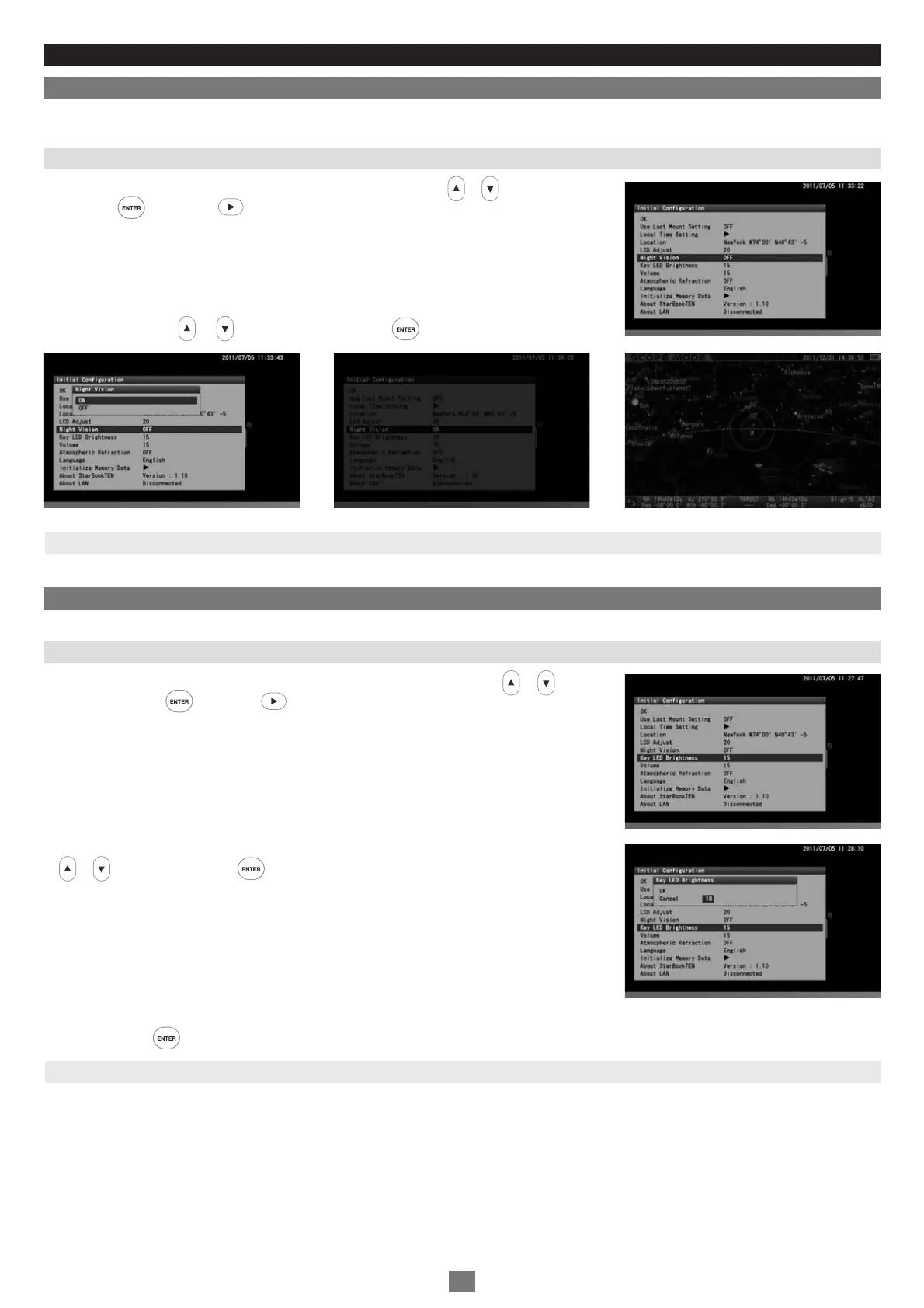
Night Vision
The setting is defaulted to “OFF” .
1
2
To maintain your night vision, avoid white light. The “Night Vision” mode of the SXD2 mount turns the screen from the bright “white color” to
gentle “red color”. You can use it together with the “LCD Adjust” for the best accommodation to your eyes.
Key LED Brightness
The brightness of the backlight LED for the keys can be adjusted from 0 to 20, i.e. “off to the brightest” divided by 20 steps.
In the “Initial Configuration” menu, choose “Night Vision” with the or direction key and
press the key (or the key) to call up the dialog box.
Choose ON with the or direction key and press the key to activate the “Night Vision”
screen.
The setting is defaulted to “15” .
1
2
In the “Initial Configuration” menu, choose “Key LED Brightness” with the or direction
key and press the key (or the key) to call up the dialog box.
In the “Key LED Brightness” dialog box, enter your desired value between 0 and 20 with the
or key and pressing the key will shift the cursor to OK.
The setting is returned to the default and not saved when you turn off the STAR BOOK TEN.
Then, press the key again to save and leave the dialog box.
Note: You can also access the “Key LED Brightness” dialog box from “System Menu”.
Note: You can also access the “Night Vision” dialog box from “System Menu”.
71
Examples of Night vision screens


 To Next Page