Chapter 5 APPLICATION
System Setting
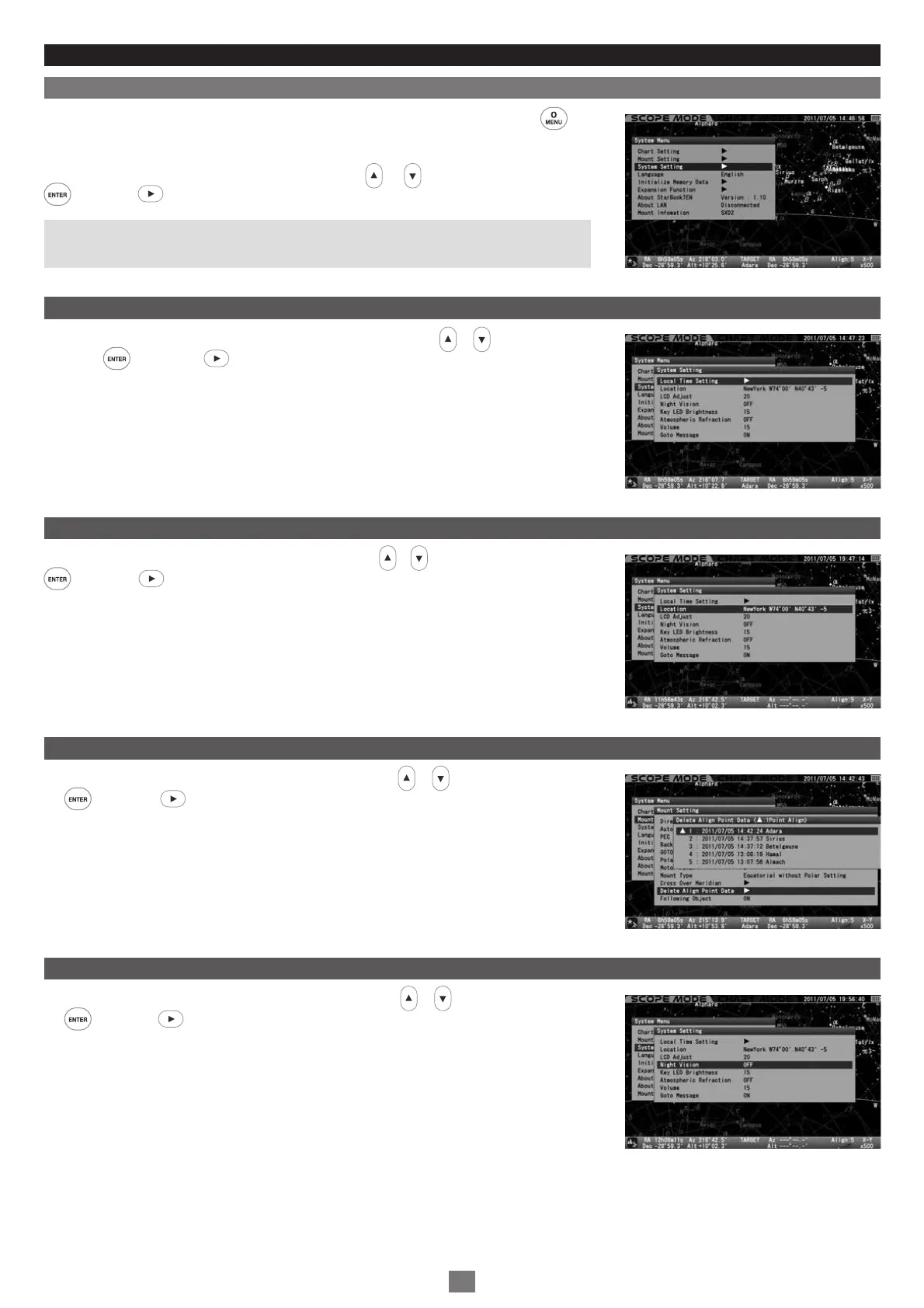
You can choose the settings for various functions to suite your preference. Press the key
to call up “System Menu”.
In “System Menu”, choose “System Setting” with the or direction key and press the
key (or the key) to call up the dialog box.
Note: Most of menus in “System Setting” are accessible at “Initial Configuration” which is
displayed each time immediately after you turn on the power switch of the SXD2 mount.
Local Time Setting
In the “System Setting” menu, choose “Local Time Setting” with the or direction key and
press the key (or the key) to call up the dialog box. Refer to the Chapter 2 “Initial
Setting”.
Location
In the “System Setting” menu, choose “Location” with the or direction key and press the
key (or the key) to call up the dialog box. Refer to the Chapter 2 “Initial Setting”.
LCD Adjust
In the “System Setting” menu, choose “LCD Adjust” with the or direction key and press
the key (or the key) to call up the dialog box. Refer to page 70.
Night Vision
In the “System Setting” menu, choose “Night Vision” with the or direction key and press
the key (or the key) to call up the dialog box. Refer to page 71.
97


 To Next Page