Chapter 4 AUTOMATIC GOTO SLEWING
The Go-To slewing in
CHART MODE
works in the same way as you did in
SCOPE MODE
.
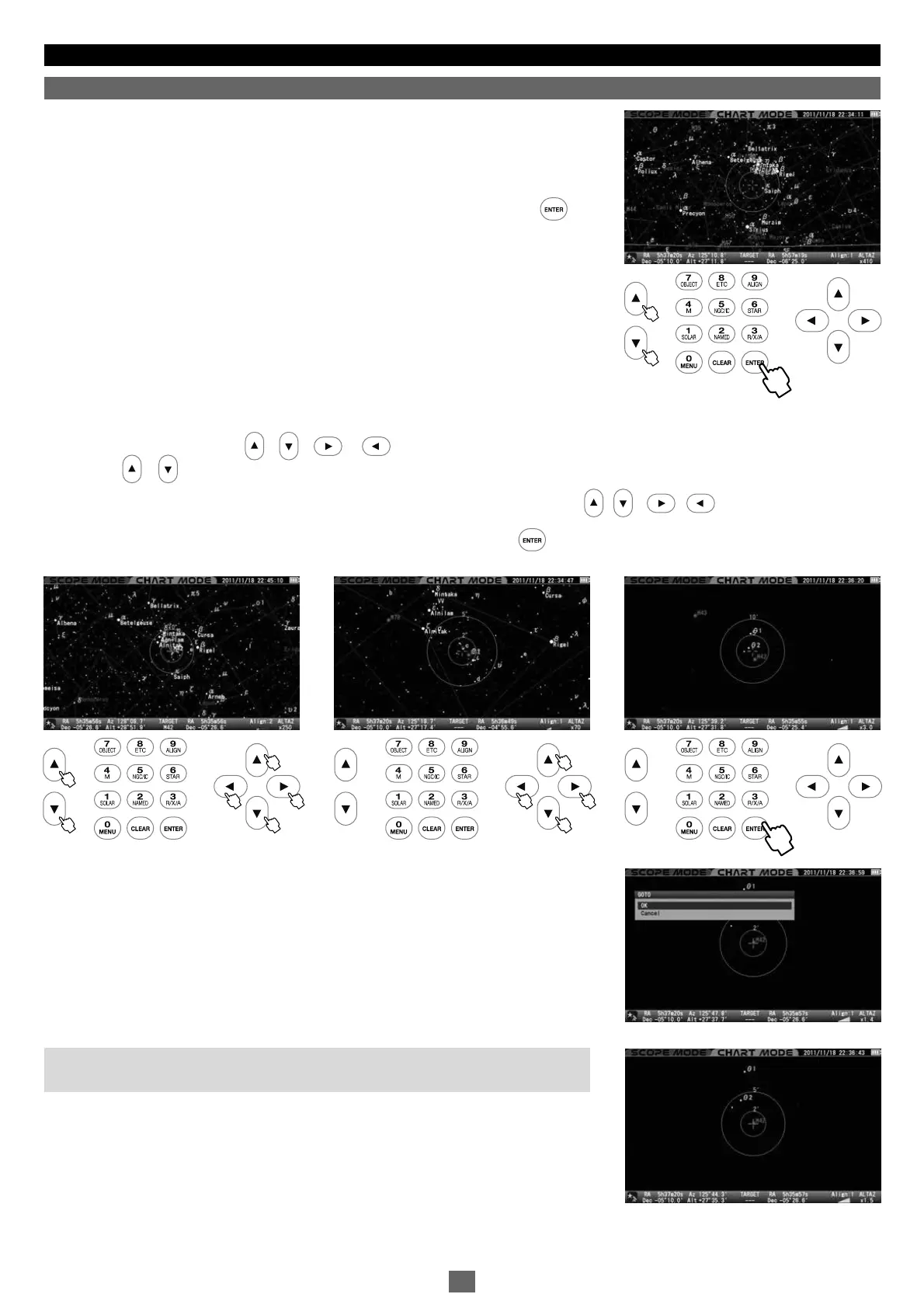
Additionally, scrolling the star chart allows you to select any object as a target and
automatically slew your telescope to it. Here, the Great Nebula, M42 in Orion, the Hunter is
shown as a target.
Make sure the star chart is displayed in
CHART MODE
. If in
SCOPE MODE
, press the key
to switch over the screen to
CHART MODE
. The screen will be highlighted in blue at its top and
bottom portions.
1
2
3
3
Scr o ll the st a r c har t w i th the • • • dir e ct i on key s so th a t M 42 com e s n ear to the ce n ter in th e ta rge t ci rcl es.
Usi n g t he or zo om k ey at the sam e t i me wil l q u ic k ly fac i lit ate th i s p roc e ss.
Zooming in the star chart allows you to make slower movements of the star chart with the • • • direction keys.
Place M42 within the target circles. Then, bring it to the center and press the key.
The dialog box will appear and confirm that you want Go-To slewing.
Note: The dialog box will not appear on the screen if the “Go-To Message” is set to off.
In this case, the Go-To slewing starts at once.
. Slewing to an Object in CHART MODE
Ⅴ
北
22
53
11
32


 To Next Page