Chapter 5 APPLICATION
Constellation
1
2
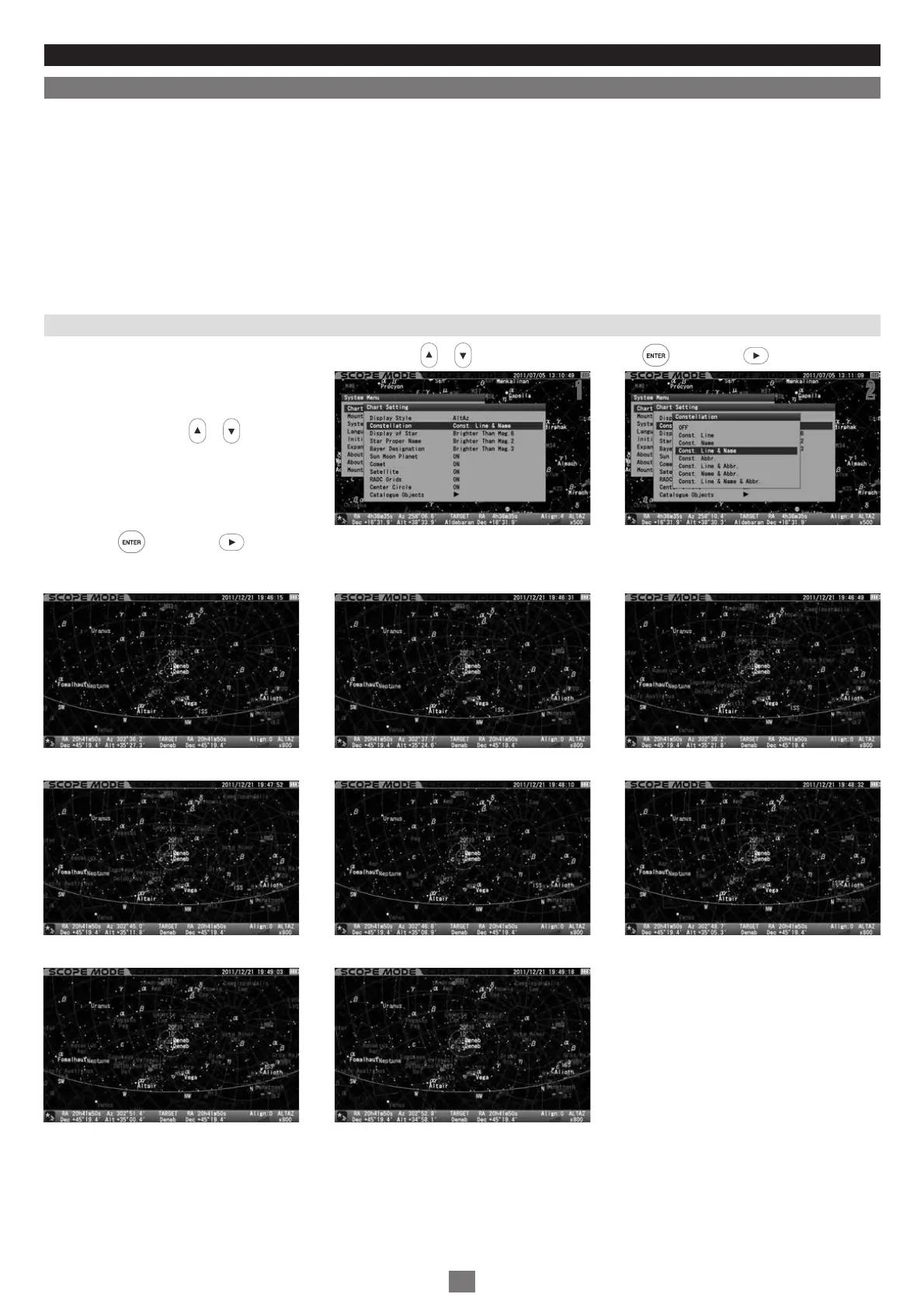
This allows you to choose your preference for the display of the constellations from the following options.
OFF: Neither constellation lines, names nor its aberrations are displayed.
Const. Line: Only constellation lines are displayed.
Const. Name: Only constellation names are displayed.
Const. Line & Name: Lines and names of constellations are displayed.
Const. Abbr.: Only abbreviated constellation names are displayed.
Const. Line & Abbr.: Lines and abbreviated name of constellations are displayed.
Const. Name & Abbr.: Constellation names and its abbreviations are displayed.
Const. Line, Name & Abbr.: All of constellation lines, names and its aberrations are displayed.
In the “Chart Setting” menu, choose “Constellation” with the or direction key and press the key (or the key) to call up the
dialog box.
In the “Constellation” dialog box, choose your
desired option with the or direction key.
Press the key (or the key) to save and leave the dialog box.
The setting is defaulted to “Const. Line & Name”
11 22
76
Set to “OFF” Set to “Const. Line” Set to “Const. Name”
Set to “Const. Line & Name” Set to “Const. Abbr.” Set to “Const. Line & Abbr.”
Set to “Const. Name & Abbr.” Set to “Const. Line, Name & Abbr.”


 To Next Page