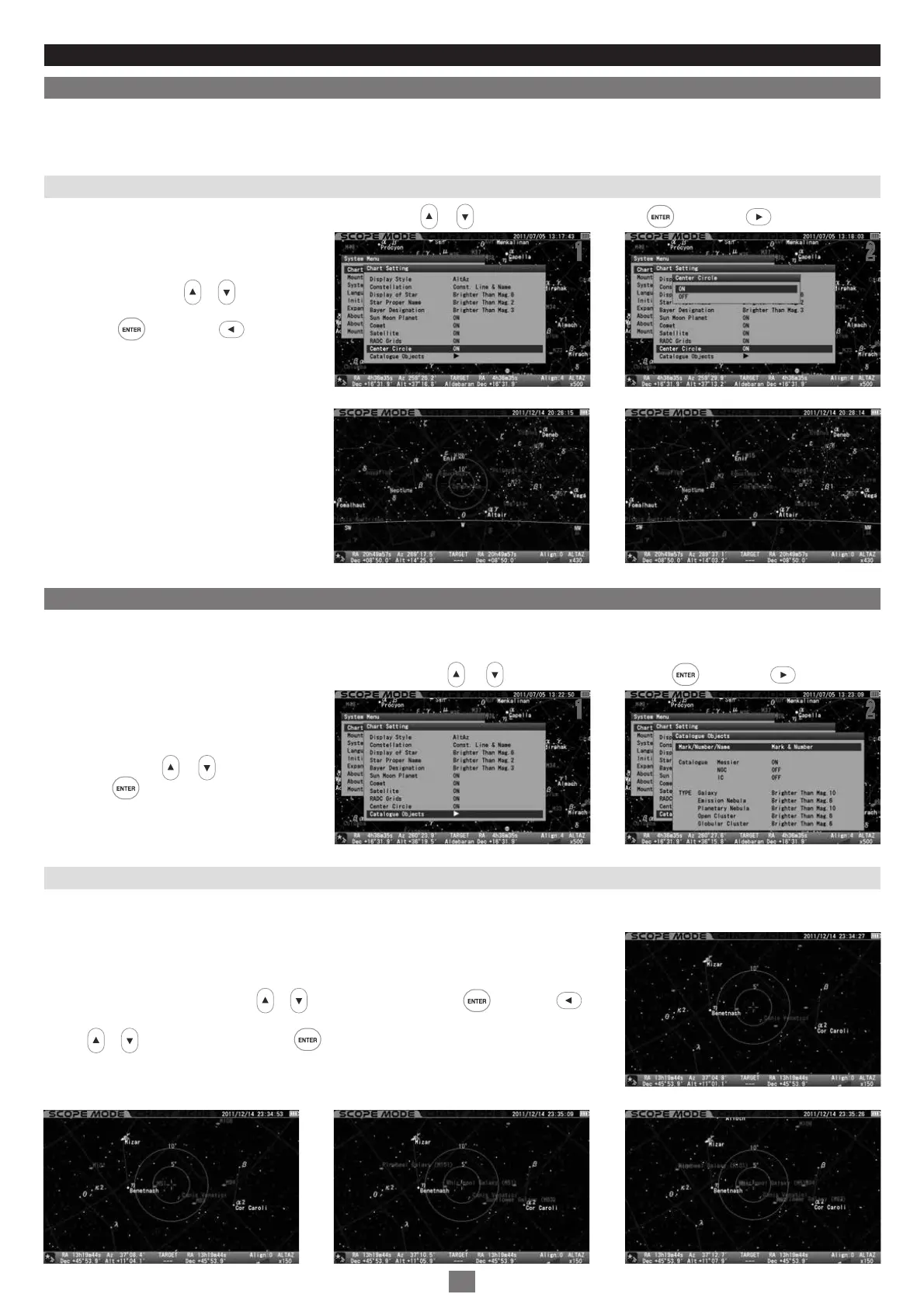
In the “Chart Setting” menu, choose “Catalogue Objects” with the or direction key and press the key (or the key) to call up
the dialog box.
In the “Catalogue Objects” dialog box, move
the cursor to your desired option from the
following with the or direction key and
press the key.
Chapter 5 APPLICATION
Center Circle
1
2
This allows you to choose your preference for the display of the target circles from the following options.
In the “Chart Setting” menu, choose “Center Circle” with the or direction key and press the key (or the key) to call up the
dialog box.
In the “Center Circle” dialog box, choose your
desired option with the or direction key.
Press the key (or the key) to save
and leave the dialog box.
The setting is defaulted to “ON” .
11 2
2
ON : Target circles are displayed.
OFF : Target circles are hidden.
Catalogue Objects
1
2
This allows you to choose your preference for the display of all types of deep sky objects compiled for the Messier, NGC and IC catalogues
from the following options.
Choose “Mark/Number/Name” with the or direction key and press the key (or the key)
to call up the dialog box. In the “Mark/Number/Name” dialog box, choose your preference of display
with the or direction key and press the key.
Mark/Number/Name
11 2
2
Mark : Marks only of deep sky objects are displayed.
Mark & Number : Marks and numbers of deep sky objects are displayed.
Mark & Name : Marks and names of deep sky objects if enrolled are displayed.
Mark & Number & Name : Marks, numbers and names of deep sky objects if enrolled are displayed.
82
Example: Set to “ON” Example: Set to “OFF”
Example: Set to “Mark & Name”Example: Set to “Mark & Number” Example: Set to “Mark & Number & Name”
Example: Set to “Mark”


 To Next Page