18
WIRED CONNECTION
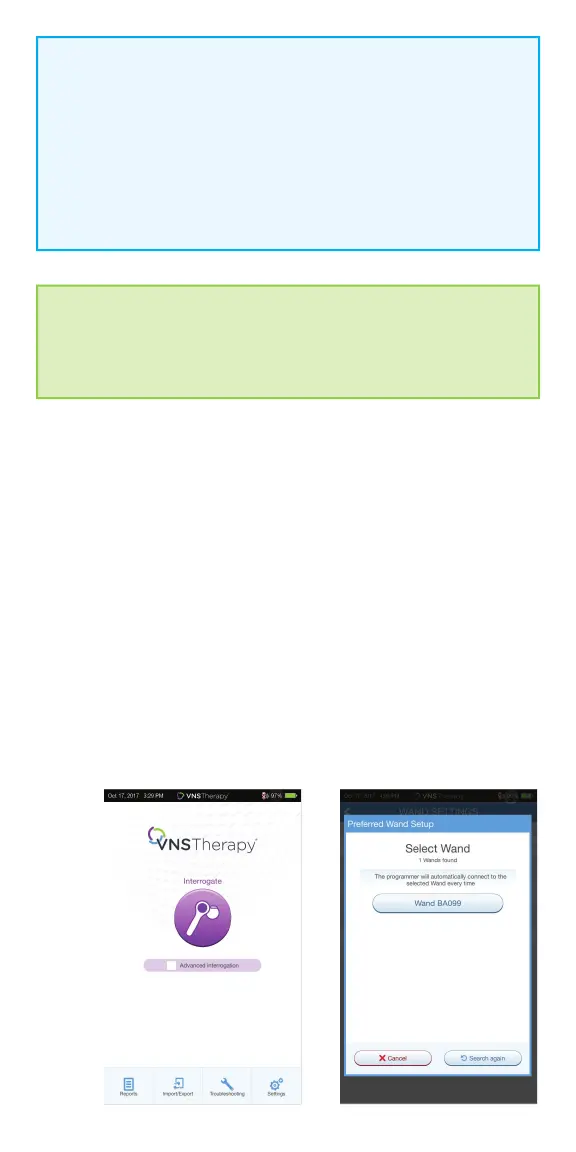
Use the supplied USB cable to connect the wand to the programmer.
To set up wired connection:
1. Connect the programmer to the wand using the USB cable
2. Tap INTERROGATE on the programmer. The programmer will automatically
connect to the preferred wand and display the wand’s information on the
screen, indicating that the programmer and the wand are connected
3. Look for four green lights on the wand to indicate that the programmer and
the wand are connected. The green lights will stay on for 10 minutes when
the programmer and wand are connected. When they are not connected,
the green lights will go o after 2 minutes
NOTE: Wireless
“Preferred” connection - recommended for wands and programmers
that are always used together. Provides a quicker connection
when interrogating a patient’s generator because the programmer
automatically looks for the preferred wand. “Choose a wand” connection
recommended if there are several interchangeable programming systems
in your area. When interrogating a patient’s generator, the programmer
searches for all available wands in range.
SHORTCUT
You can set up a wireless connection automatically by starting the
interrogation. The programmer will prompt you to save the preferred
wand information as part of the workfl ow.



 To Next Page