19
Interrogate the Generator
You must interrogate the generator before performing other functions,
such as changing parameters or performing diagnostic tests.
To interrogate the generator:
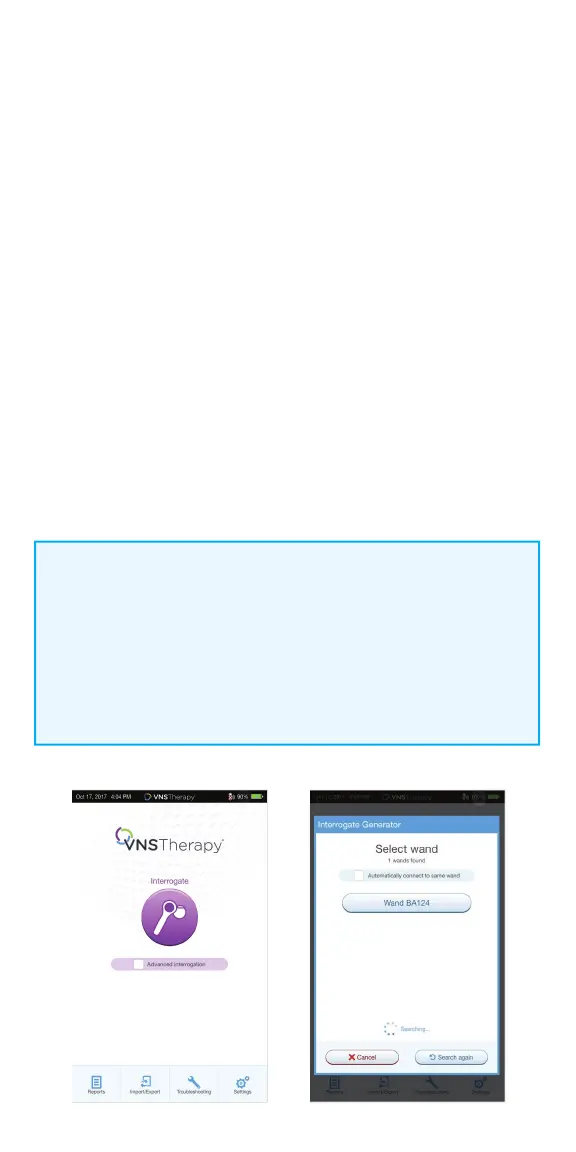
1. Turn on the programmer
2. Turn on the wand. Look for two green lights on the wand, indicating that
power is on and the wand is ready to connect
3. On the Main Screen, tap INTERROGATE
4. Preferred wand: If you have set up a preferred wand, the programmer
will automatically connect to the preferred wand and display the wand’s
information on the screen, indicating that the programmer and the wand
are connected
5. No preferred wand: If you have not set up a preferred wand, the
programmer will show all powered-on wands in range. Select the serial
number for the wand you intend to use. The programmer will connect to
that wand and display the wand’s information on the screen, indicating that
the programmer and wand are connected
6. Place the wand over the generator
7. If the interrogation is working, a generator icon will fl ash on the
wand screen
NOTE:
When the ADVANCED INTERROGATION box on the Main Screen is checked,
the programmer will download detailed data from the generator for the
previous 180 days during interrogation. These data will be displayed in the
Events and Trends tab which is accessible from the Navigation Bar.
For rapid interrogation, uncheck the ADVANCED INTERROGATION box.



 To Next Page