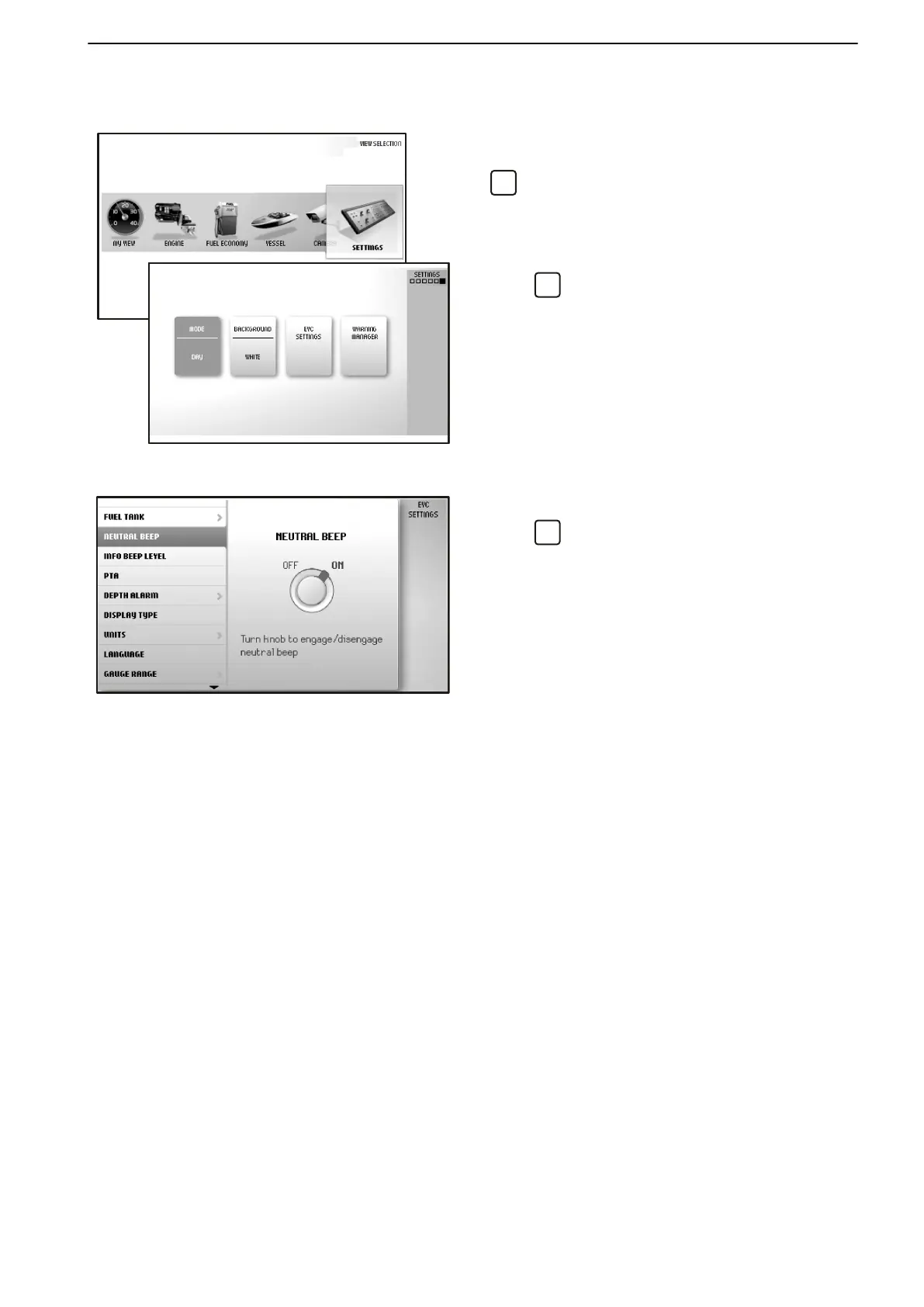
Settings
Screen settings and different function settings are
made in
this view. Turn to the desired menu and press
to access the sub menus.
Mode
Choose between
the modes Day (dark text on a white
background) or Night (light text on a dark background).
Press
to switch between modes.
Background
Choose between the background colors Gray, Aqua,
White, Carbon and Red.
EVC Settings
Press
to access the settings menu.
Settings for
the display, switching functions on and off,
audible alarm settings, alarm limits, language and
units. Information regarding boat installations is also
found here.
Neutral Beepswitching on and off the beeper that
sounds when the control is in the neutral position.
Info Beep Levelsetting the volume of the signal that
confirms when a function has been activated, or deac-
tivated.
Trip Computer Resetzeroes all values in the trip com-
puter.
Service
The drive is fitted with a sensor that monitors oil level
and quality. If the oil level in the drive is low or if there
is water in the oil, the helmsman is alerted by an audi-
ble alarm and a message is shown on the display
simultaneously. Every time oil is changed, the water-
in-oil sensor must be calibrated; refer to
Service page 121
Camerafor laterally inverting the image shown or
showing the camera at a docking station.
Display Typefor selecting the engines the information
in the display concerns, and the type of installation the
display forms part of.
Infodisplay Contrast for adjusting the contrast on all
displays at the helm station.
Unitssetting units (metric/US/imperial) and unit of dis-
tance (km, NM or miles).
Languageselecting the display language.
Instruments and Controls
47705796 05-2014 © AB VOLVO PENTA 29





 To Next Page