Caution!
ACC does not brake for
stationary obstacles or very slow
moving vehicles.
Engaging ACC
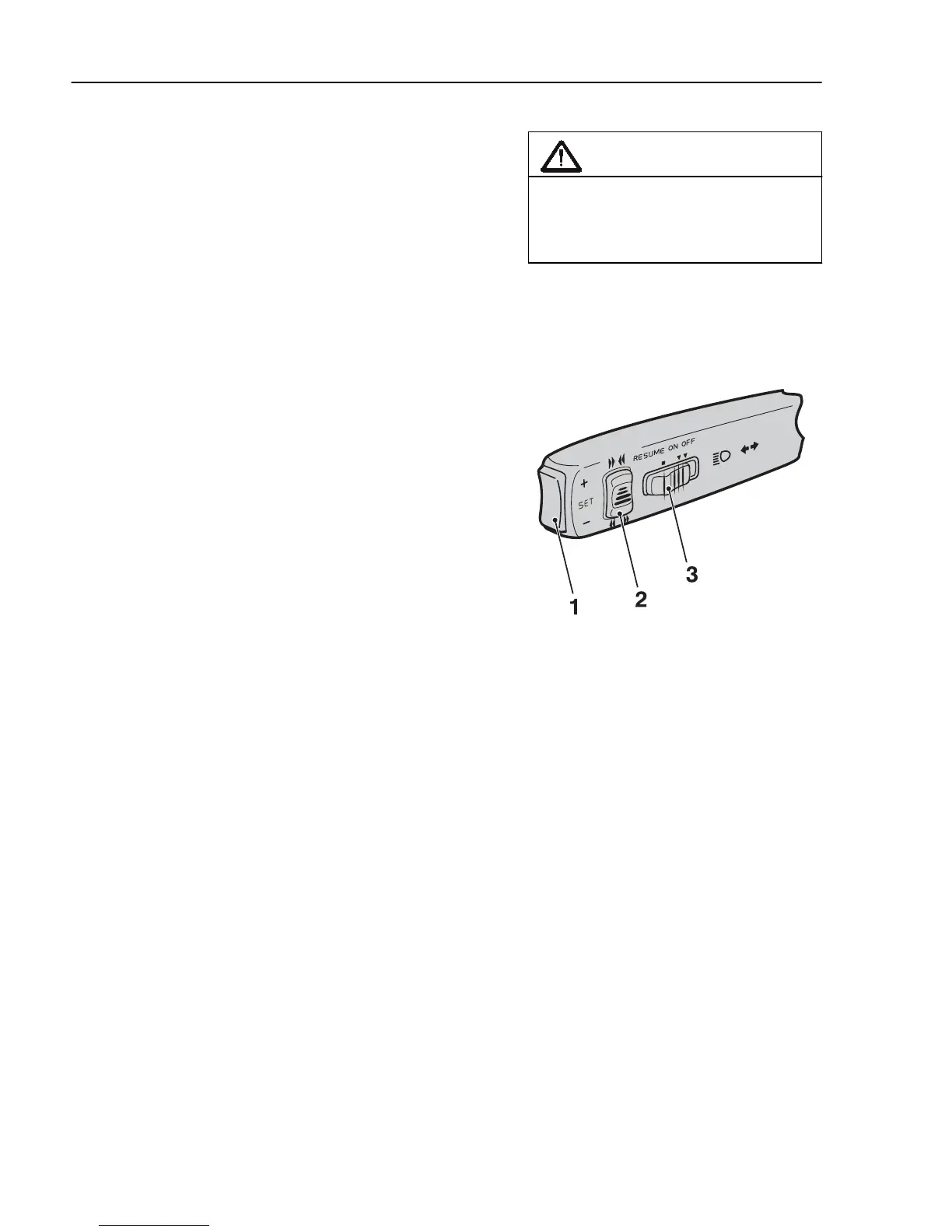
The control (3) for the cruise control is placed in the
direction indicator stalk.
1 Make sure that the auxiliary brake stalk is
in position A
2 Set the switch (3) to the ON position
3 When the required speed is reached, press SET
(1)
The desired speed is obtained by using the
accelerator pedal as usual and then pressing + or
– on SET (1).
If the cruise control (CC) is active,
ACC
is engaged by
moving the auxiliary brake stalk to position A.
When the cruise control is engaged, the display shows
“
ACC
”.
The cruise control cannot be engaged at low speeds.
See section “Cruise control” for more information.
J2021178
Note!
If the retarder stalk is in positions 0,
1, 2 or 3, only normal cruise control
is engaged. In these positions there
will be no automatic speed/distance
adjustment, based on the vehicle in
front of the truck.
Note!
Do not use
ACC
on slippery
surfaces.
198
Adaptive cruise control



 To Next Page