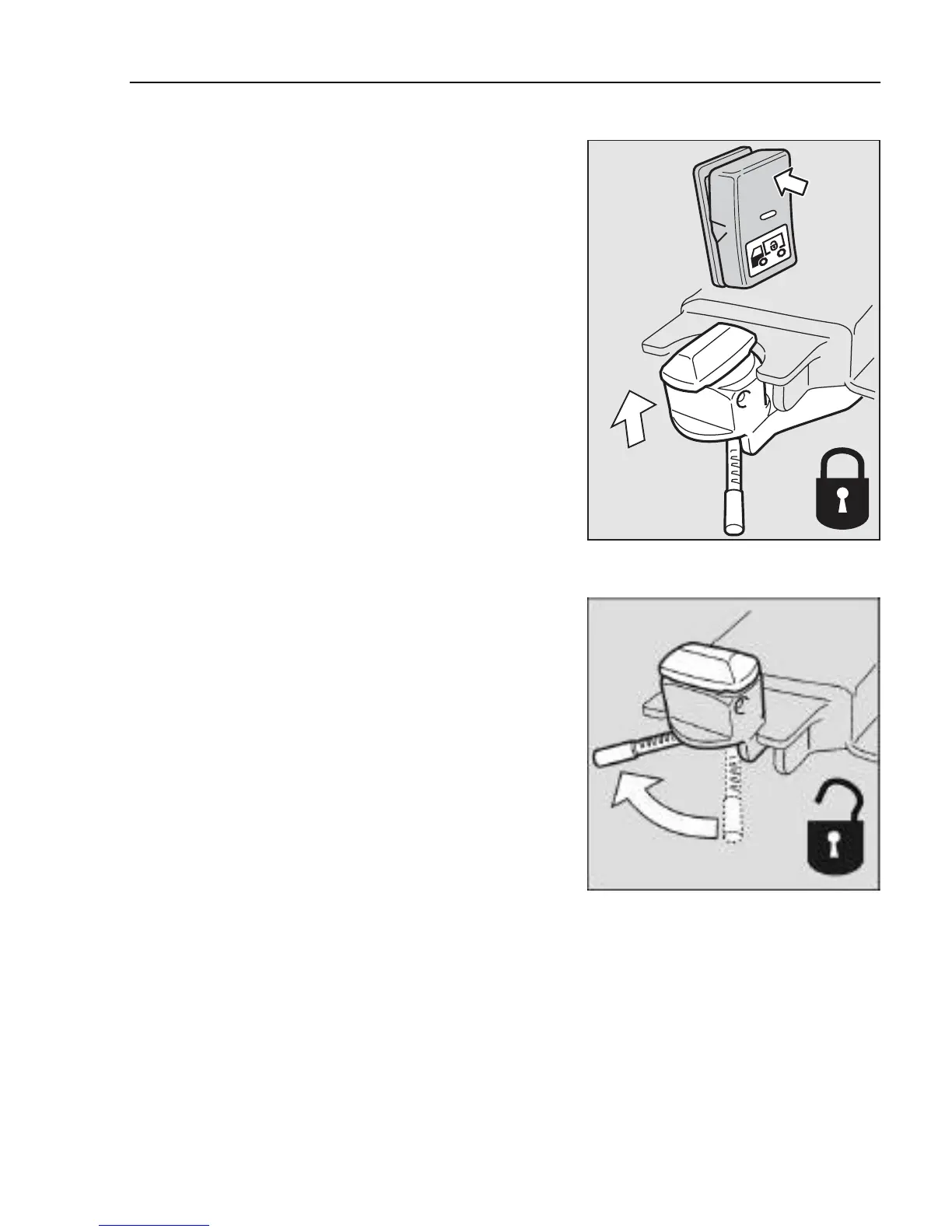
2 Raise the lock pins with the switch in the cab
J9007997
3 Unlock the container locks
4 The container is lifted off
5 The vehicle is ready to be driven away
J9007931
Load indicator
The load indicator can be found under ”Vehicle data”
on the display. The menu can only be accessed when
the vehicle is stationary.
For general information on how the display functions,
see ”Driver instructions Display”.
Note!
The truck should be in a level
position when gauging.
Loading and unloading
287



 To Next Page