driver or workshop can obtain information, see section
"Display control stalk" for more information.
Display
J3018843
The display is located in the middle of the the
instrument cluster. You can use the display to see
vehicle messages, control certain functions on the
truck and see information about the truck, amongst
them temperatures, levels and distances.
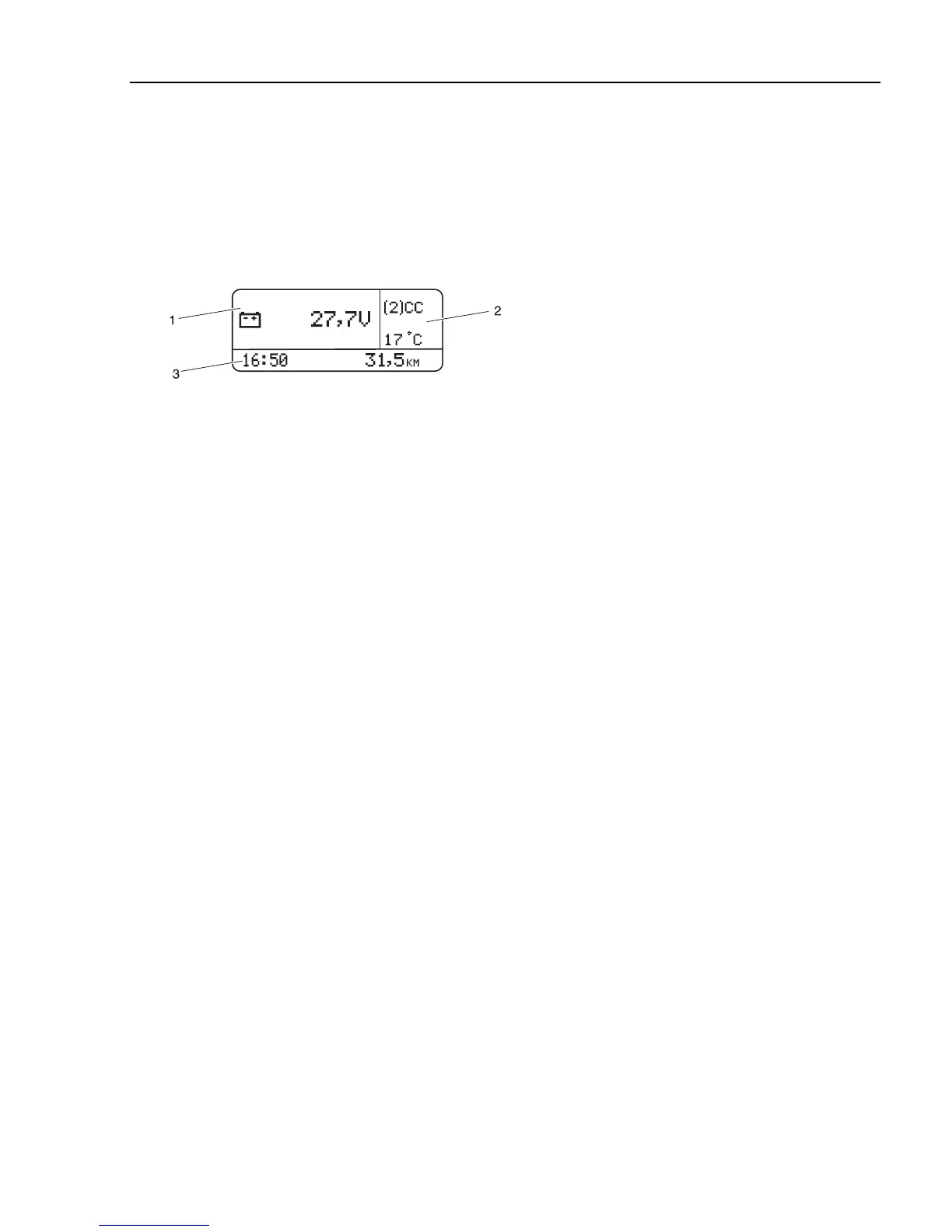
The display window is divided into three sectors:
1 Menu. This is where the menus are displayed,
together with automatic alarms, warnings and
information messages.
2 Status bar. The upper part displays the status
symbols. The lower part displays the outdoor
temperature.
3 Status bar. The clock is displayed on the left. The
odometer is displayed on the right.
Information display
81



 To Next Page