Remote Control Quick Reference
Guide
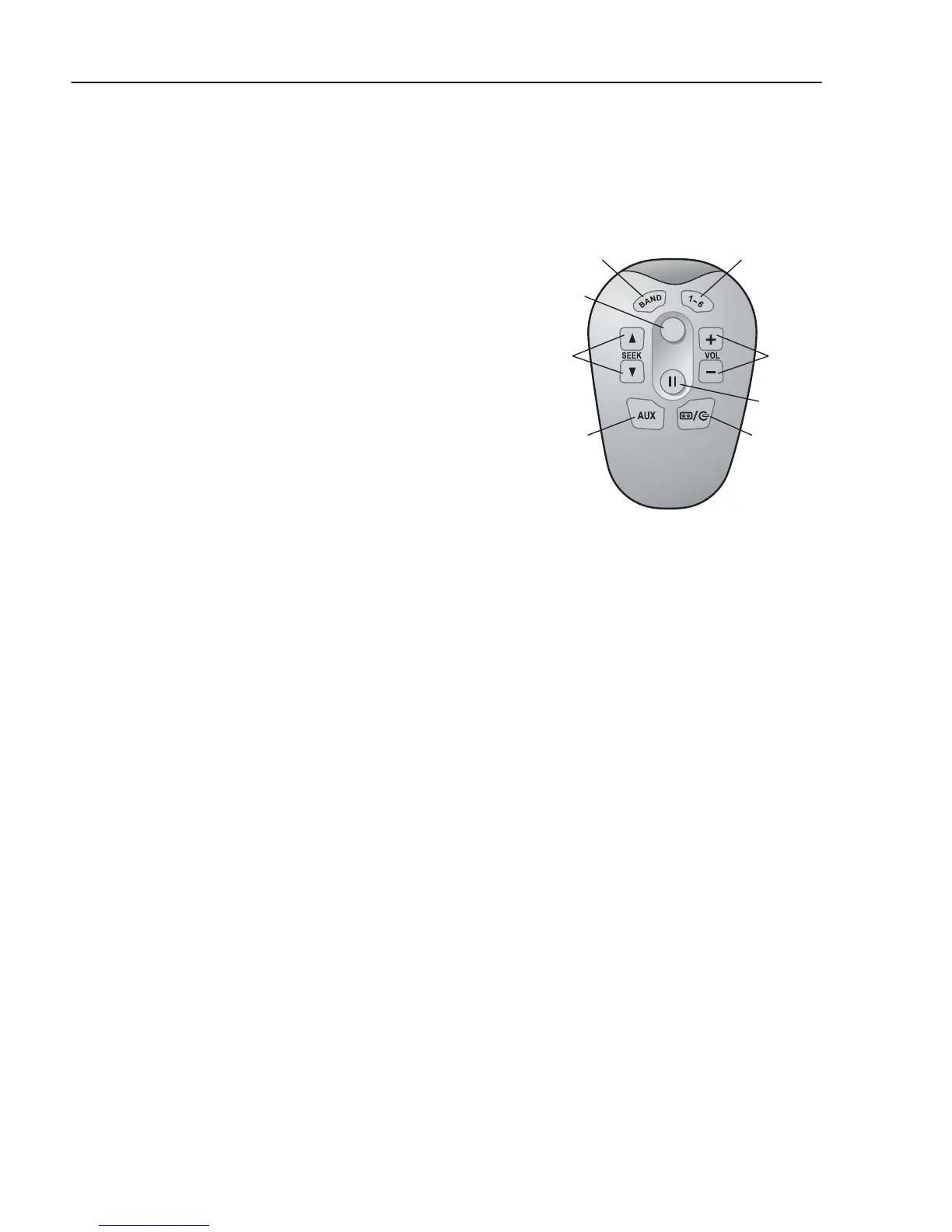
1 “Band” Button
Radio: Select between FM & AM Bands
2 “PWR” Button
General:Turns the Radio On and Off
3 “Seek” Button
Radio: Seek
CD/USB: Next or previous track
4 “Mute / Pause” Button
General: Mute or Pause the source of audio
5 “Aux” Button
Source:Select between USB, iPod or AUX
6 “CD Select” Button
CD: Select CD
7 Volume buttons
Radio/CD:Adjust the volume up and down
8 Preset 1 to 6
Radio: Select a Preset Station



 To Next Page