18 Audio Controls
Midrange Control
(Model VR 400 only)
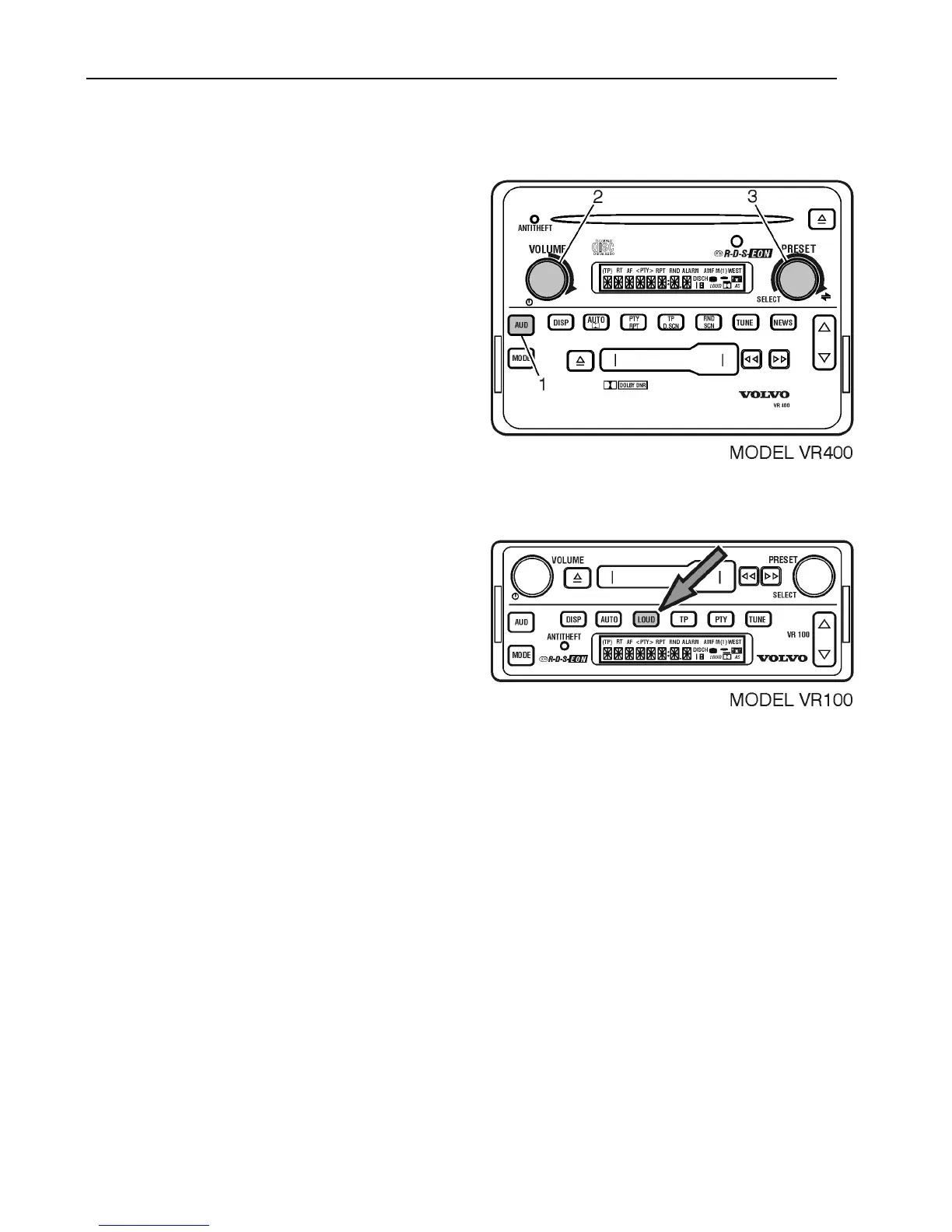
To adjust midrange control;
1 Press AUD repeatedly to display MID.
2 Turn VOLUME to adjust MIDRANGE.
OR
3 Turn SELECT to adjust MIDRANGE
After 5 seconds, the display returns to the
default.
Loudness (VR 100 Only)
The Loudness feature boosts the low (bass)
frequency response at low volume levels,
improving the sound quality. The amount
of boost automatically increases as volume
is increased.
Press the LOUD button to turn ON.
(The “LOUD” icon is displayed). Press
again to turn OFF.
All other models have an Auto-Loudness
function. This feature cannot be turned ON
or OFF.



 To Next Page