30 Tuning the Radio
Program Type Function (PTY)
To select a particular type of music
programming (Jazz, Sports, Country, etc.)
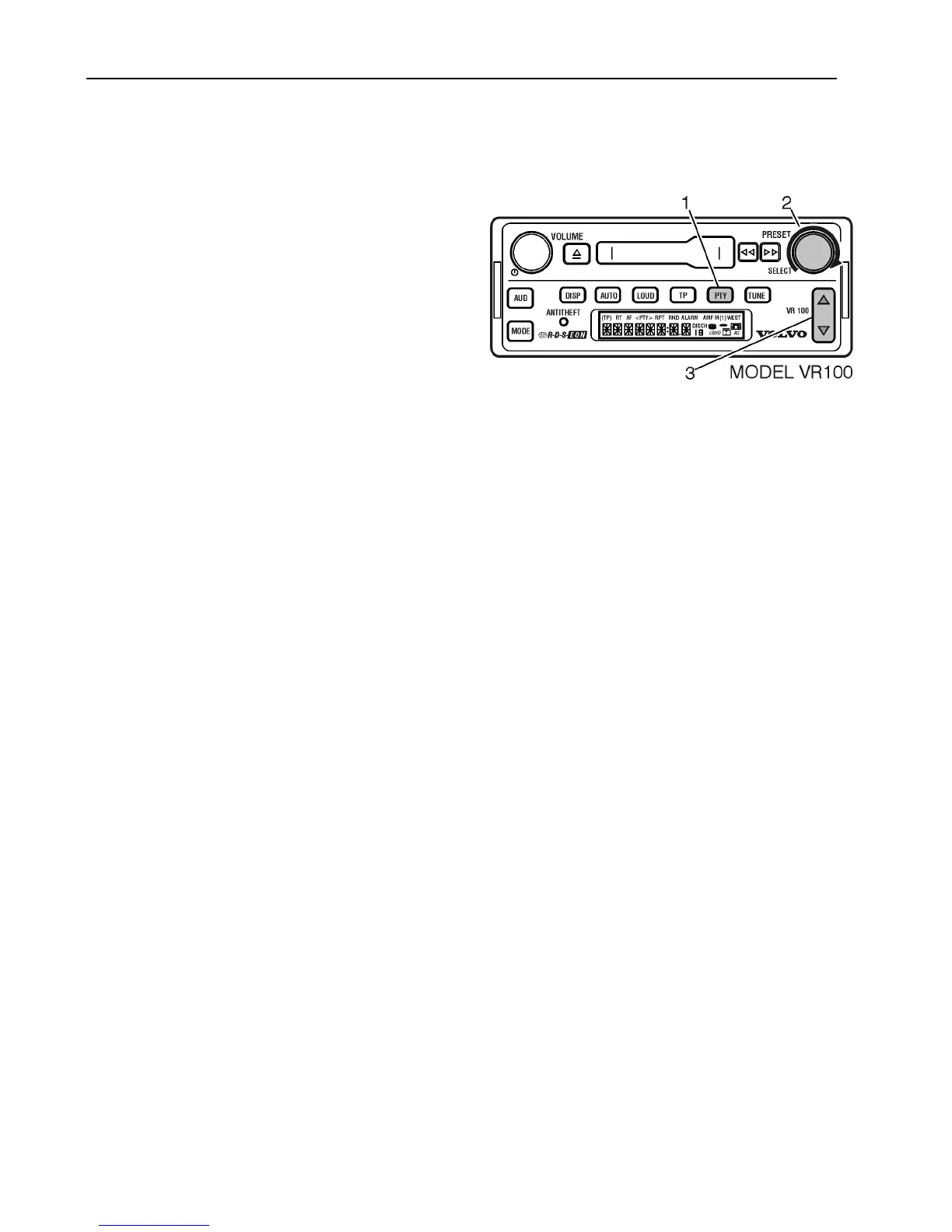
1 Press PTY to display PTY icon:
2 Turn SELECT to scroll through
available selections.
3 Press UP/DOWN arrows to SEEK or
SCAN.
If a selection is not made within 10 seconds,
no PTY is saved and the radio returns to the
default.
Note: The PTY button may not function in
all areas.



 To Next Page