Tuning the Radio 25
Tune
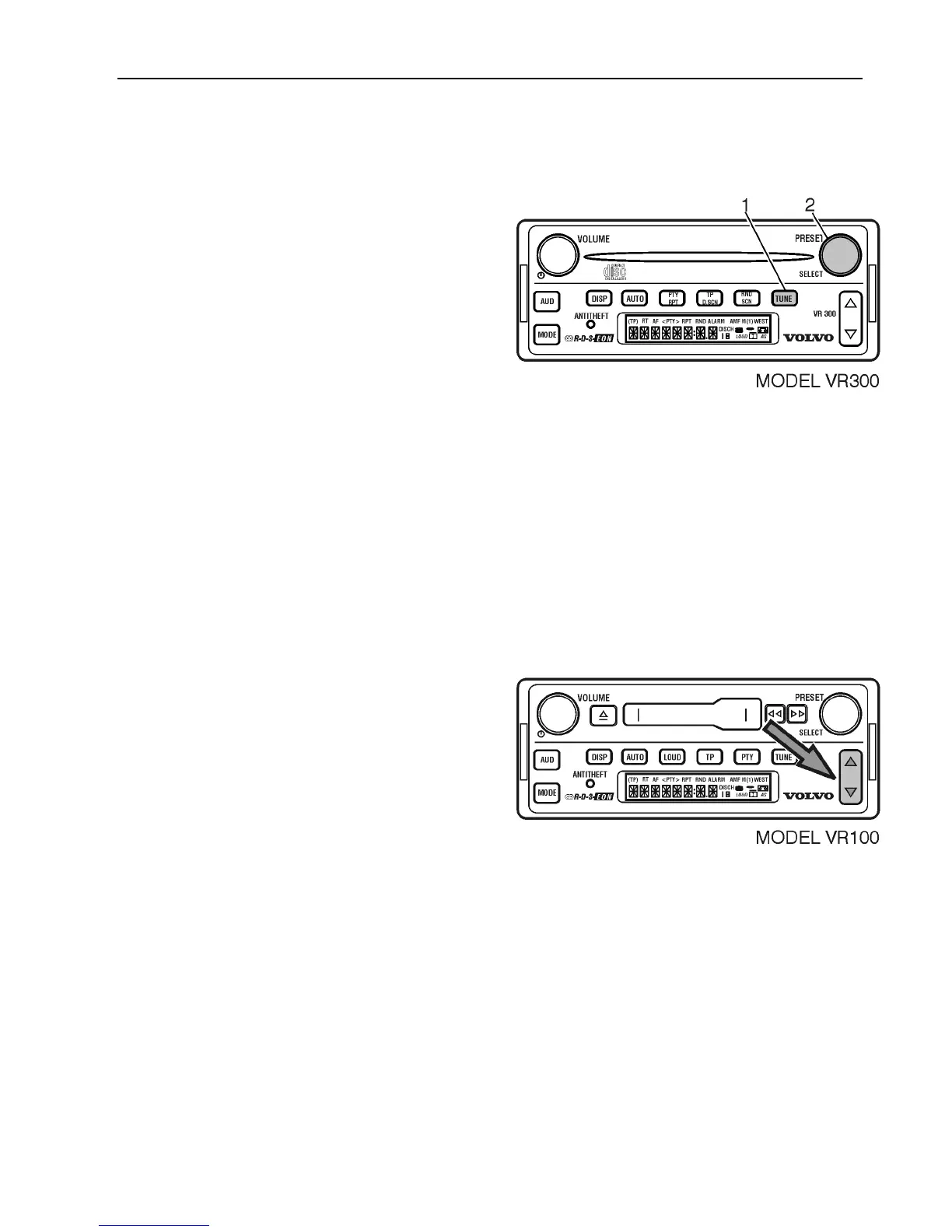
1 In any tuner mode (AM, FM or WX),
Press TUNE.
2 Turn SELECT to tune manually.
If you reach the end of a frequency band, the
radio will roll over or wrap to the opposite
end of the band and continue through the
band.
If the select knob is not rotated within
5 seconds, the manual tune function is
canceled and the SELECT returns to its
default function.
Seek
The radio can automatically seek stations,
finding and stopping on the next station that
exceeds the sensitivity level set. To seek for
a station in any tuner mode
(AM, FM or WX) the next higher or lower
station on the current band;
Briefly press the UP/DOWN arrows to
SEEK.
The radio mutes as it searches for the next
station with a strong signal. When it finds a
station, the radio stops seeking and the audio
returns to the original volume.
Press the UP/DOWN arrows again for next
station.



 To Next Page