www.vtiinstruments.com
EX1200-7100 Plug-in Module 149
F
IGURE
4-67:
7122
L
OGICAL
D
IAGRAM
,
S
IGNALS
,
AND
S
WITCH
D
ETAILS
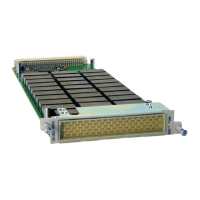
Prior to a switch module into the EX1200-7100 enclosure, ensure that has been removed from the
mainframe. If the enclosure is already installed into an EX1200 mainframe, remove it from the mainframe
to facilitate installation. Next, slide the module into the enclosure and carefully ensure that the guide pins
on the enclosure mate with the pins on the module. Once the guide pins are aligned, firmly push the module
into the mating connector until the module is seated flush in the enclosure. Install the four socket head cap
screw’s to complete the installation.
F
IGURE
4-68:
I
NSTALLING A
S
WITCH
M
ODULE


 To Next Page
 Loading...