wc_tx003818gb_FM10.fm
80
Engine Control Module (ECM) Diagnostics RT / RTx
5.7 Programming the ECM Tip-Over Mode
To set the ECM tip-over mode:
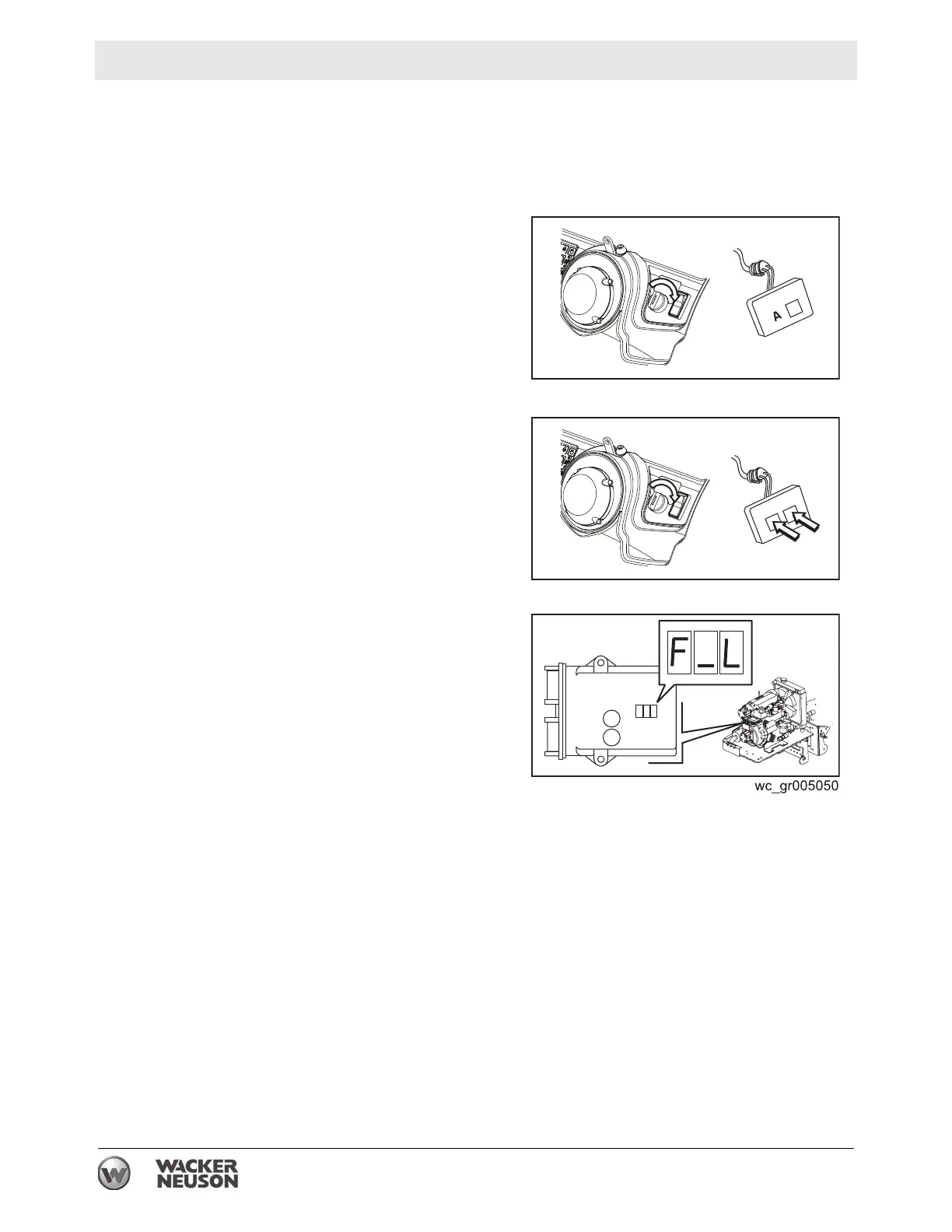
1. Connect the diagnostic tool. See section Connecting the Diagnostic Tool.
2. Do one of the following:
■ Press and hold button “A” of the
diagnostic tool and turn the key to
ON. This will set the ECM to the
FLASH LED mode.
or
■ Press and hold both of the buttons
of the diagnostic tool and turn the
key ON. This will set the ECM to
the LOCK OUT START mode.
3. Check the mode setting by
observing the LED display of the
ECM during the 5 seconds
immediately after turning the key
ON.
“L_O” = LOCK OUT START
“F_L” = FLASH LED









 To Next Page