wc_tx003197gb_FM10.fm
90
Changing Drums (RTx-SC3) RT / RTx
Continued from the previous page.
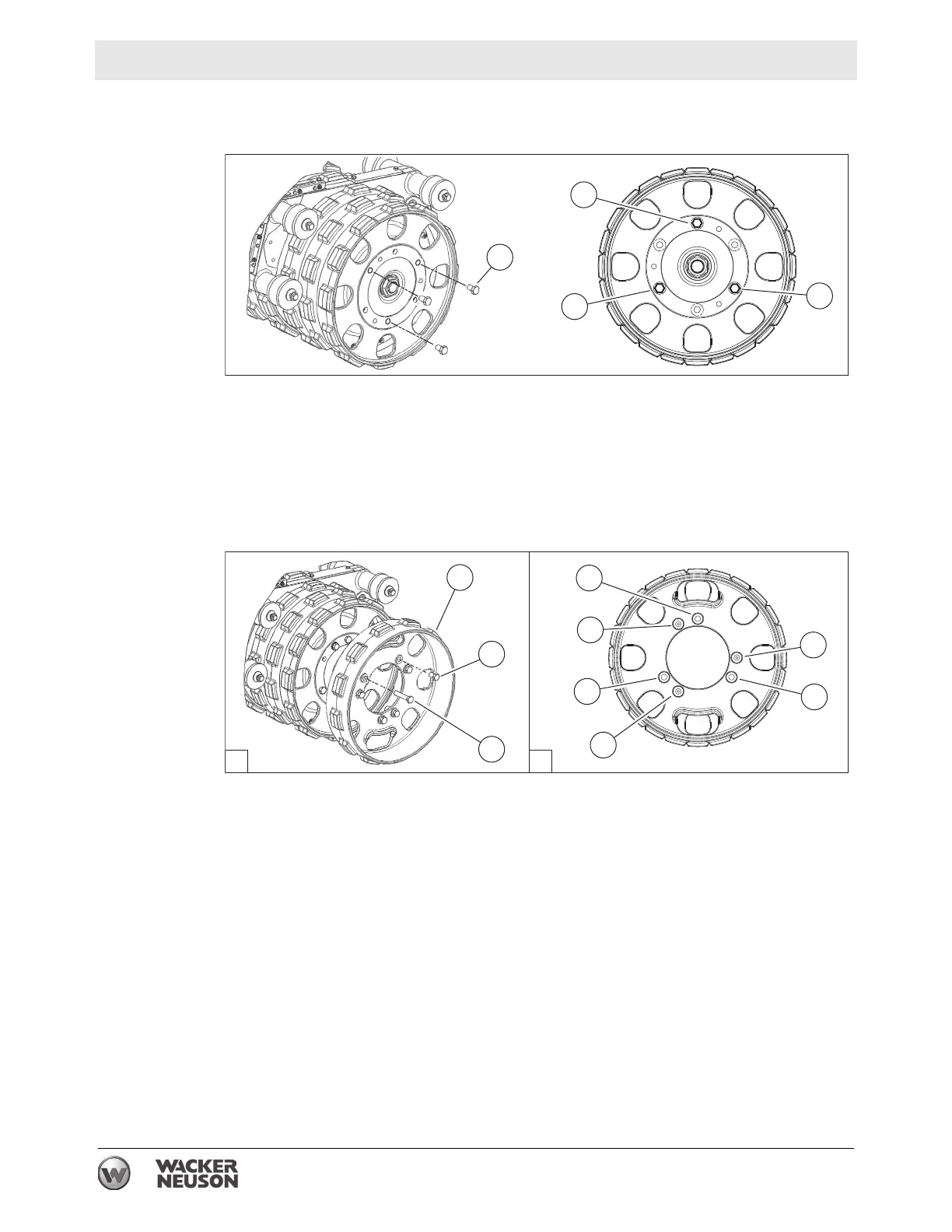
2. Remove (3) M16 x 25 screws (c) from each end of the front drum as shown.
3. Install a drum extension (b) on each end of the front drum. Align the mounting
holes as shown in view “A” below.
Note: As you align the mounting holes, make sure the “sheep’s foot” lugs on the
drum and drum extension are offset from one another.
4. Fasten the drum extension with (3) M16 x 80 screws (d) in the locations shown
in views “A” and “B” below. Torque to 167 Nm (123 ft.lbs.).
5. Store (3) M16 x 25 screws (c) in the threaded “placeholder” holes as shown.
This procedure continues on the next page.












 To Next Page