Page 32 of 102 Page 33 of 102Doc: DRX Installation
Version: 7.1 January 2021
Doc: DRX Installation
Version: 7.1 January 2021
wassp.com wassp.com
DRX INSTALLATION MANUAL DRX INSTALLATION MANUAL
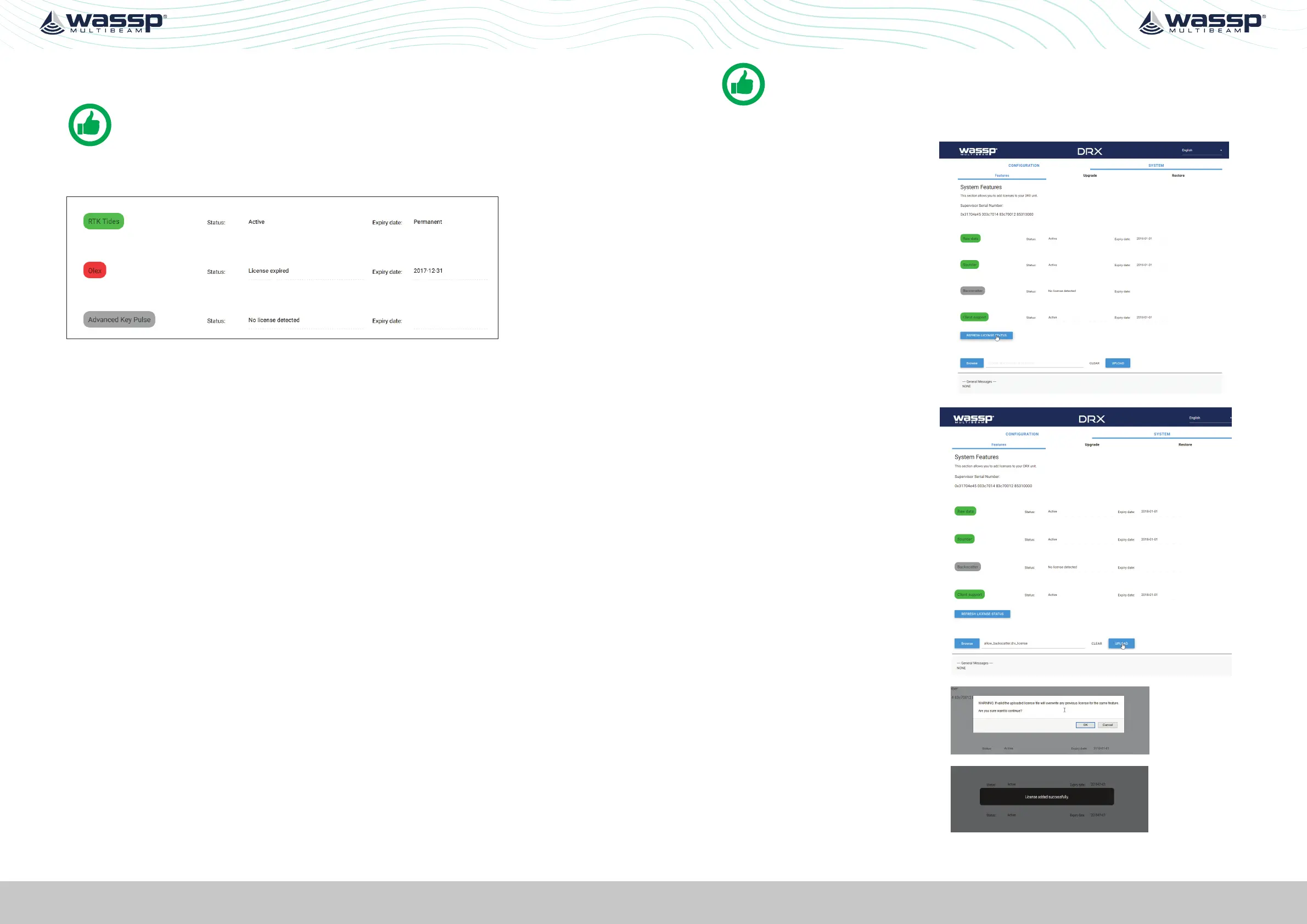
Licenses can be in one of 3 states:
- ACTIVE; License is installed and active.
NOTE: The license may be a permanent or time limited license.
- EXPIRED; License is installed but has expired/timed out.
- NO LICENSE; No License for this feature has been installed.
Figure 16. License Status
Licenced Features include:
Application Interfaces
TIMEZERO; Allows direct interface between DRX and TZ. TZ controls the DRX and
displays data supplied by the DRX, depending on which display functionality is enabled.
SURVEY; Enables interface between DRX and various survey platforms. DRX supplies the
appropriate data for post processing on the survey application.
OLEX; Allows interfacing to Olex through CDX. Control is required by CDX and display
data is passed through to Olex.
Display Functionality
BACKSCATTER; Seafloor backscatter data is enabled allowing the client application to
display backscatter strength on 2D and 3D overlays or to use for post processing.
WATER COLUMN TARGETS; Targets detections in the water column, such as fish,
are enabled. This allows client applications to display discrete targets and their target
strengths on the 2D or 3D displays.
SIDESCAN; Data is processed as sidescan is enabled. This allows port/starboard sidescan
imagery on the client application.
Control Functionality
RTK TIDES; Use of GPS height can be used to compensate for sea level change. This is
particularly useful for accounting for tidal height when mapping bathymetry. See “5.2.8.
Geoids Tab” on page 48 and “Appendix D - Ship’s Measurement Points” on page 94.
IMS; Used for automated optimisation of DRX for improving performance when there
is acoustic interference. IMS is enabled or disabled from the client application. See
“Appendix F - Auto Control in CDX” on page 97.
ADVANCED KEY PULSE; As part of IMS, AKP (Advanced Key Pulse) functionality can be
used to improve management of interfering acoustic equipment. See “5.2.6.4. Advanced
Key Pulse” on page 45.
NOTE: IMS is not available on all DRXs. Check with WASSP Support with your
DRX Serial Number for more information.
To install the license follow the steps:
1. Select SYSTEM tab and
select FEATURES tab.
2. Select the REFRESH
LICENSE STATUS button to
see current active Licenses
and associated expiry date.
3. Select the BROWSE button
to select the appropriate
license file.
4. Select UPLOAD button for
the selected license file.
5. You will be asked to
confirm selection.
6. License file will be
uploaded and applied.



 To Next Page