46
ADVANCED SETTINGS
The WaterRower S4 Monitor has many advanced functions which are accessible using
the ADVANCED PROGRAMS button.
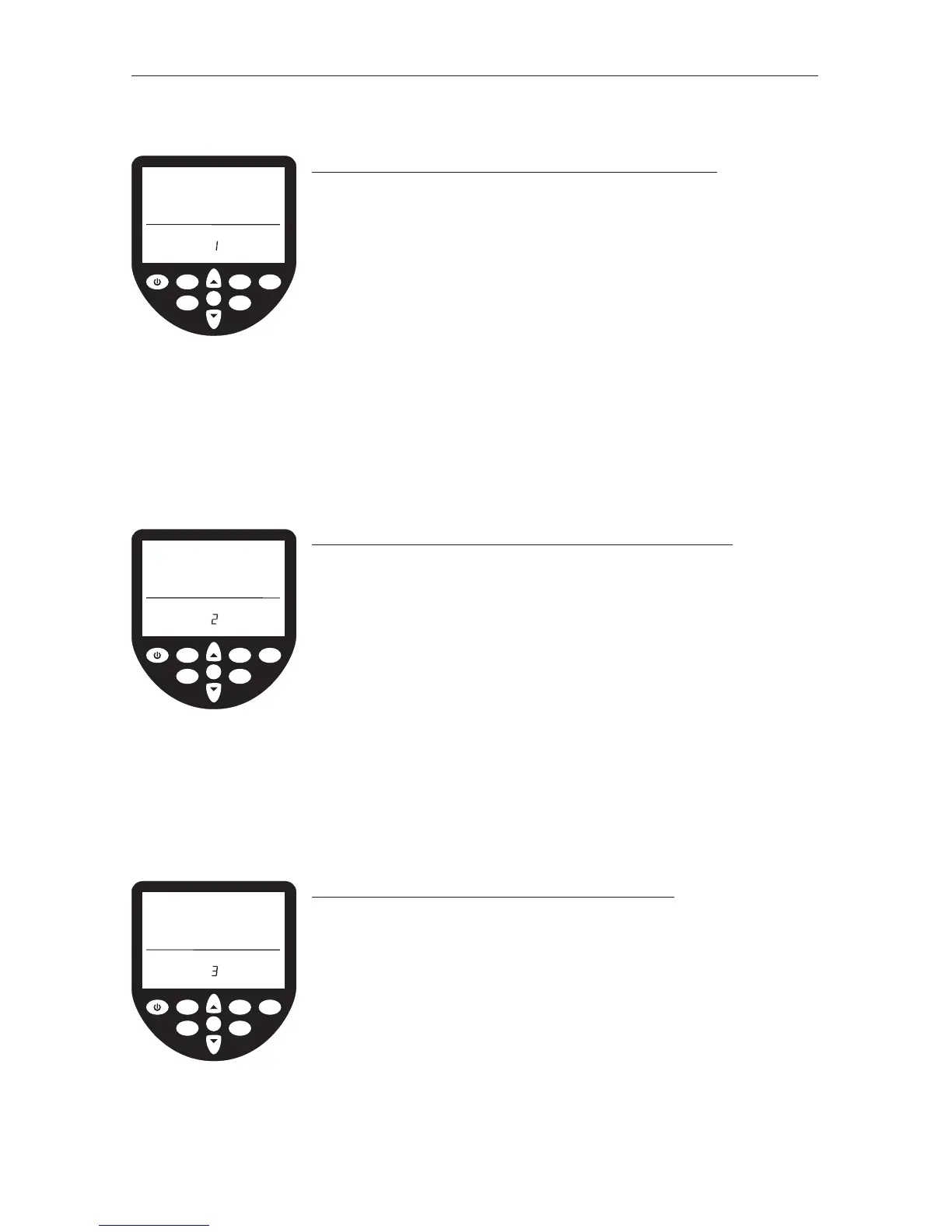
ADVANCED PROGRAM 1 – Store Workouts Settings
In addition to the AutoStore function described earlier, the
WaterRower S4 monitor allows manual storage of workout
settings. This is particularly useful if the S4 is used by
numerous users and the AutoStore programs are overwritten.
• Scroll through your advanced programs options using the
ADVANCED button. When Advance Program 1 is highlighted,
press OK.
• Scroll to the desired workout storage location (1 thru 9)
using the SCROLL keys. Press OK when the desired storage
location is reached.
• Your workout settings are stored in the selected location
and may be retrieved using Advanced Function 2 (see
below).
ADVANCED PROGRAM 2 – Retrieve Workout Settings
In addition to the AutoStore function previously described,
the WaterRower S4 monitor allows manual storage of
workout settings.
• Scroll through your advanced programs options using the
ADVANCED button. When Advance Program 2 is highlighted,
press OK.
• Scroll to the desired workout storage location (1 thru
9) using the SCROLL keys. Each workout setting storage
location will scroll through the workout settings to assist
selection. Press OK when the storage location is reached.
• Your workout settings stored in the selected location will
be loaded.
ADVANCED PROGRAM 3 – Projected Duration
The WaterRower S4 monitor allows you to view your
projected duration during a distance workout. Projected
duration is the duration projected for the set distance given
the current intensity. Projected duration must be selected
immediately prior to the workout and is current only for that
workout.
• Scroll through your advanced programs options using the
ADVANCED button. When Advance Program 3 is highlighted,
press OK. The projected duration option is selected.
• NOTE: Projected duration is displayed in lieu of duration
for 2 seconds in every 10 seconds.
OK
WaterRower Series IV Performance Monitor
workout
programs
stored
programs
zones
hold/reset
units
advanced
on
duration
distance
heartrate
strokerate
intensity
advanced
workout
program
store
OK
WaterRower Series IV Performance Monitor
workout
programs
stored
programs
zones
hold/reset
units
advanced
on
duration
distance
heartrate
strokerate
intensity
advanced
workout
program
load
OK
WaterRower Series IV Performance Monitor
workout
programs
stored
programs
zones
hold/reset
units
advanced
on
duration projected
distance
heartrate
strokerate
intensity
advanced
program


 To Next Page