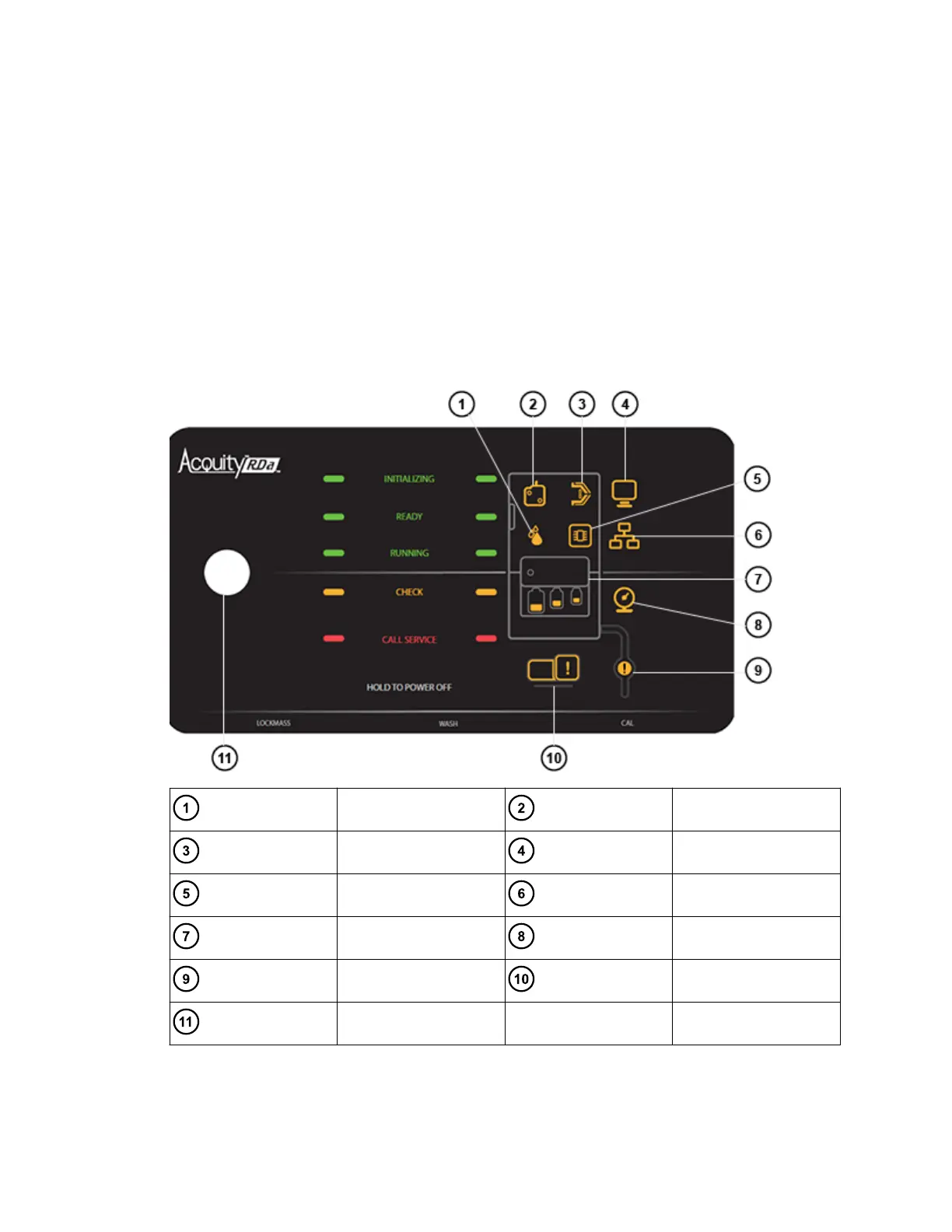
• Running
• Check
• Call Service
The Initializing LED remains illuminated until instrument setup is complete. When the
instrument setup is complete, the status LED changes to Ready and the instrument is ready for
use.
If the instrument identifies a problem, the status changes to Check and an appropriate icon
illuminates. Instructions will then appear from within the software to help you perform corrective
action.
Figure 1–3: Instrument display
Fluidics Source
Cone Setup
Electronics Communications
Refill fluidics Gas
Exhaust Vacuum
Power button
August 20, 2021, 715005003 Ver. 04 (Previously released as Revision C)
Page 18



 To Next Page