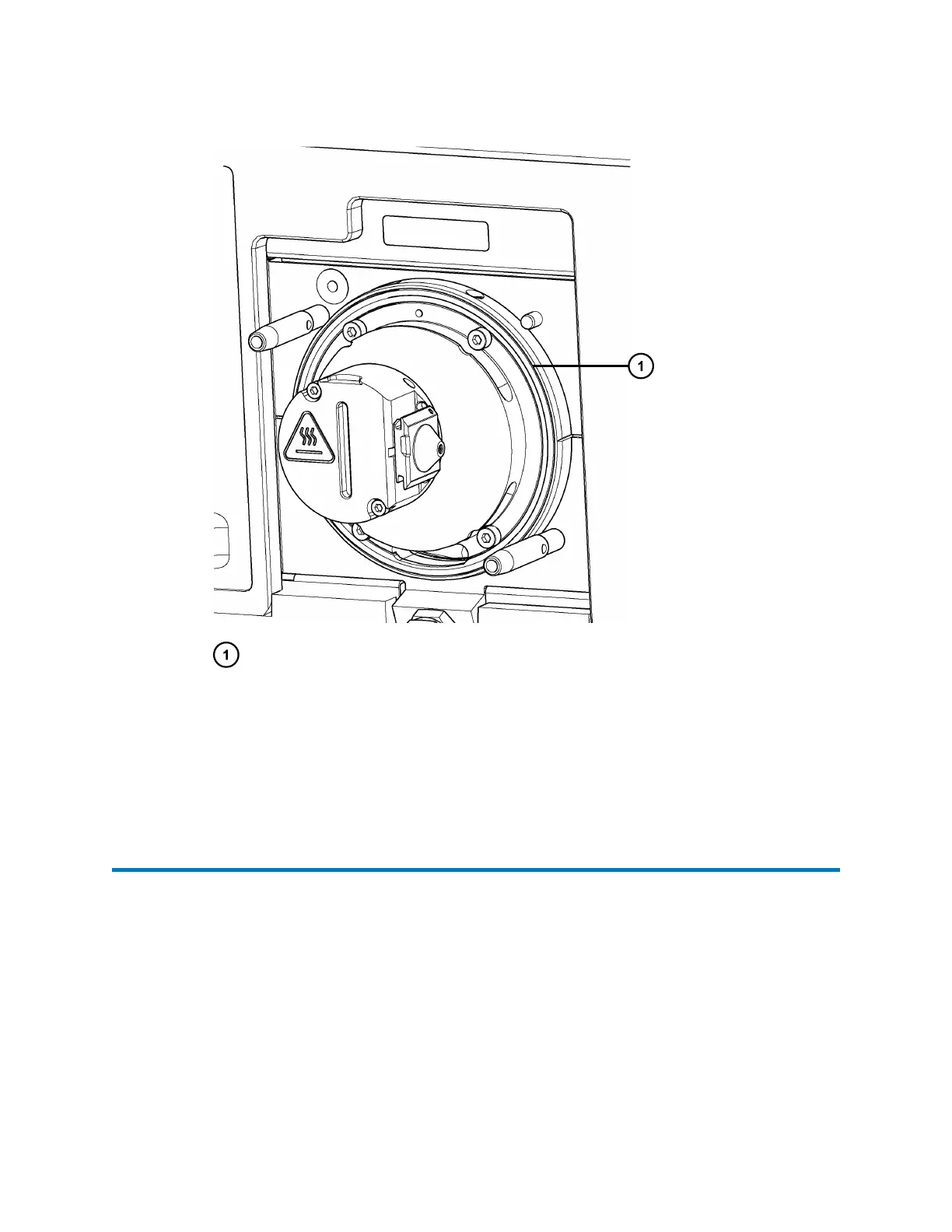
Figure 3–2: Source enclosure O-ring
Source enclosure O-ring
3. If the O-ring is fitted incorrectly, remove and refit it.
4. If the O-ring is damaged, remove it, and then fit a replacement O-ring.
5. Fit the source enclosure to the instrument (see Fitting the source enclosure to the
instrument (Page 30)).
3.8 Replacing the aperture disc
Replace the aperture disc when the system health displays that there is a blockage or that
sensitivity was reduced.
To replace the aperture disc, you can either follow the procedure described in this section or the
procedure set out in the health system of the UNIFI software. When you follow the procedure
described in the UNIFI software, the instrument performs additional background tasks that
improve the overall efficiency of the procedure.
To replace the aperture disc using the procedure described in the UNIFI software, navigate to the
Maintenance page and, on the Tasks tab, click Open on the Aperture Disc Replacement card to
start the step-by-step procedure.
August 20, 2021, 715005003 Ver. 04 (Previously released as Revision C)
Page 32



 To Next Page