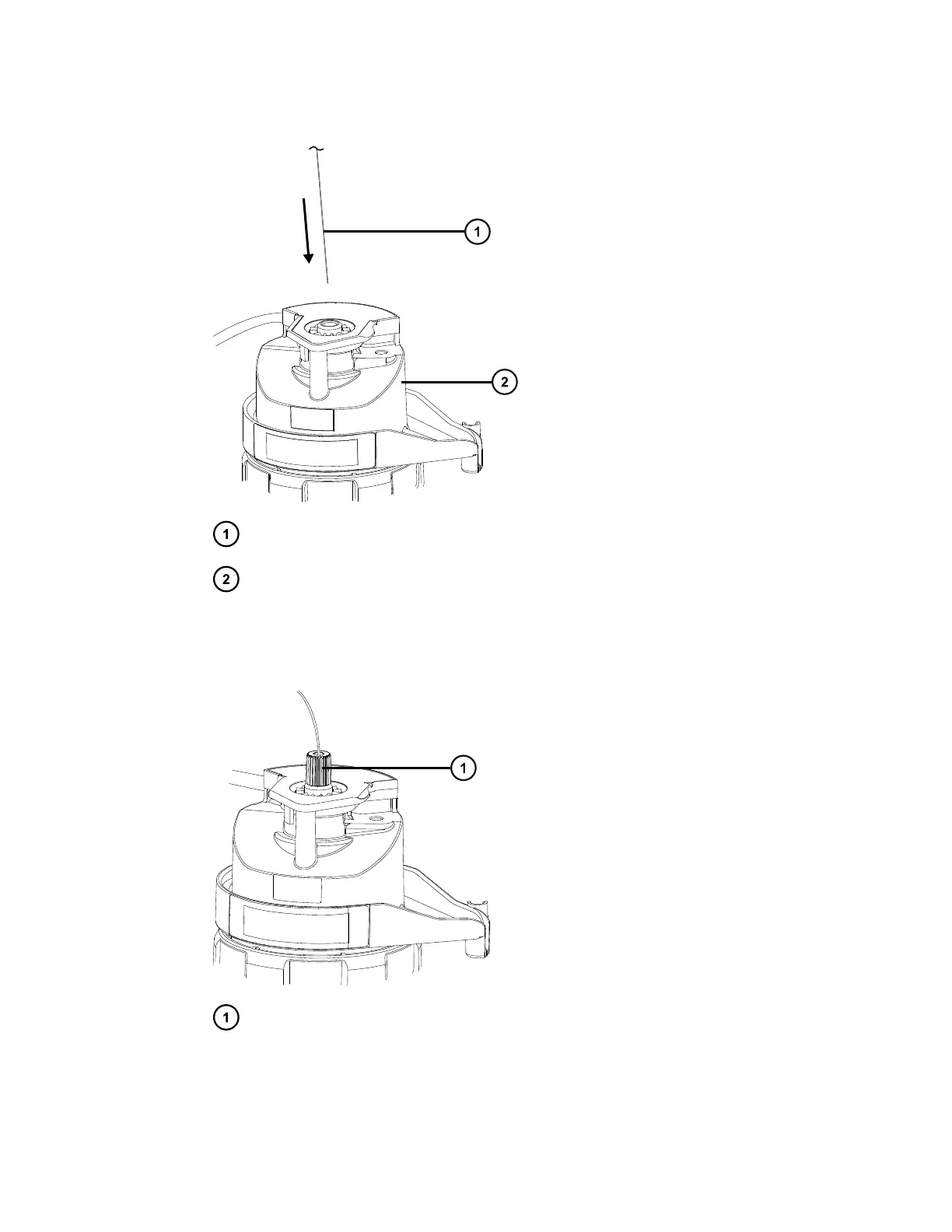
Figure 3–12: Inserting the probe assembly
Probe assembly capillary
Probe adapter
3. Screw the probe adapter fitting into the probe adapter, finger-tight only, until you hear a
click.
Figure 3–13: Probe assembly fitted to the probe adapter
Probe adapter fitting
Tip: The probe adapter fitting varies in size depending on the probe assembly type. If you
cannot fit the probe adapter cap fully, as described in step 6, ensure that you are installing
January 10, 2022, 715006200 Ver. 01 (previously released as Rev. A)
Page 56


 To Next Page