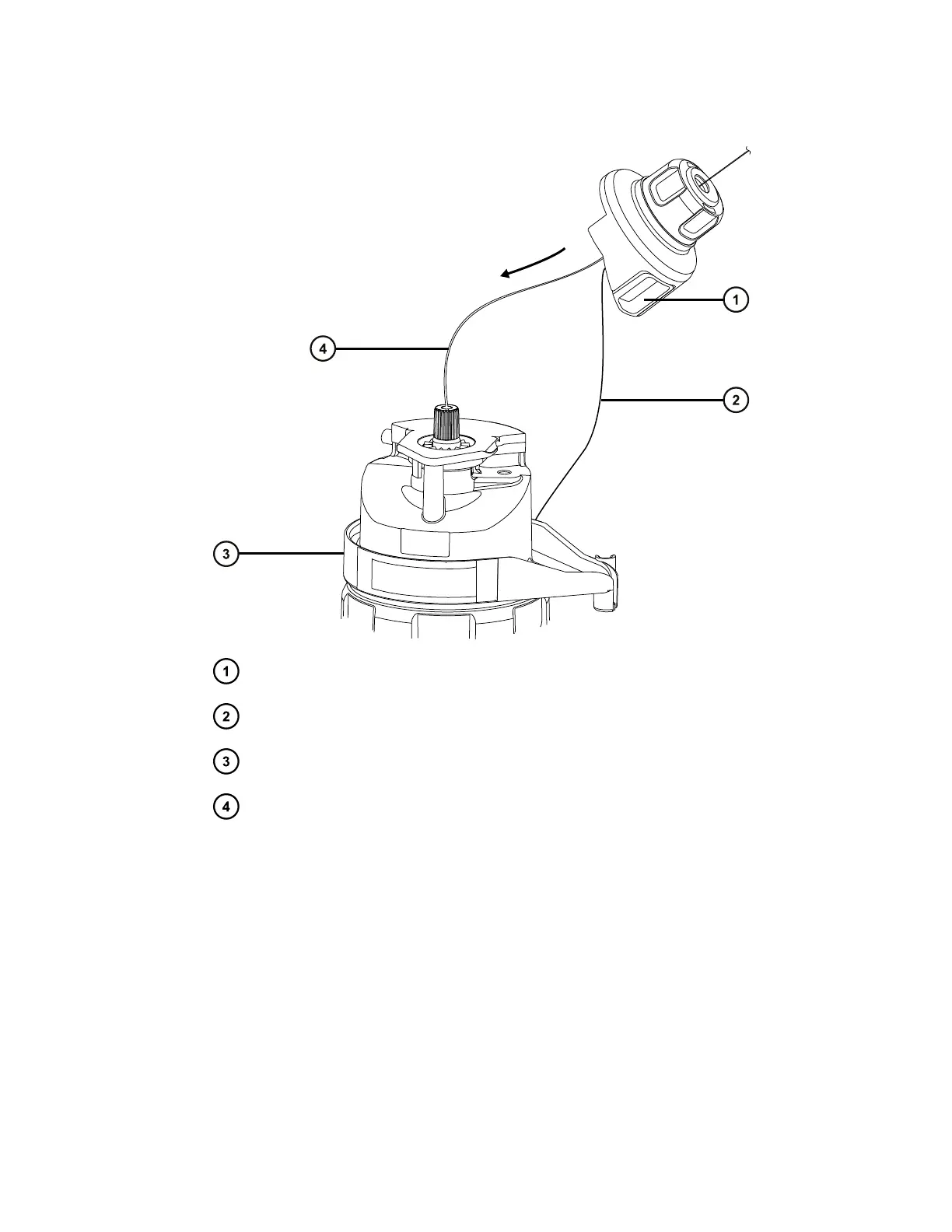
Figure 3–15: Fitting the probe adapter cap
Probe adapter cap
Probe adapter cap tether
Probe adapter
Probe assembly tubing
5. Slide the probe adapter cap along the probe assembly, over the probe adapter inlet fitting.
6. Push the probe adapter cap onto the probe adapter until it clicks.
Tips:
• Do not squeeze the probe adapter cap release buttons when fitting the probe adapter
cap.
• Ensure that the probe adapter cap is correctly seated and that both release buttons
engage with the probe adapter, producing a click.
• If you cannot fit the probe adapter cap fully, ensure that you are installing the correct
probe assembly type.
January 10, 2022, 715006200 Ver. 01 (previously released as Rev. A)
Page 58


 To Next Page