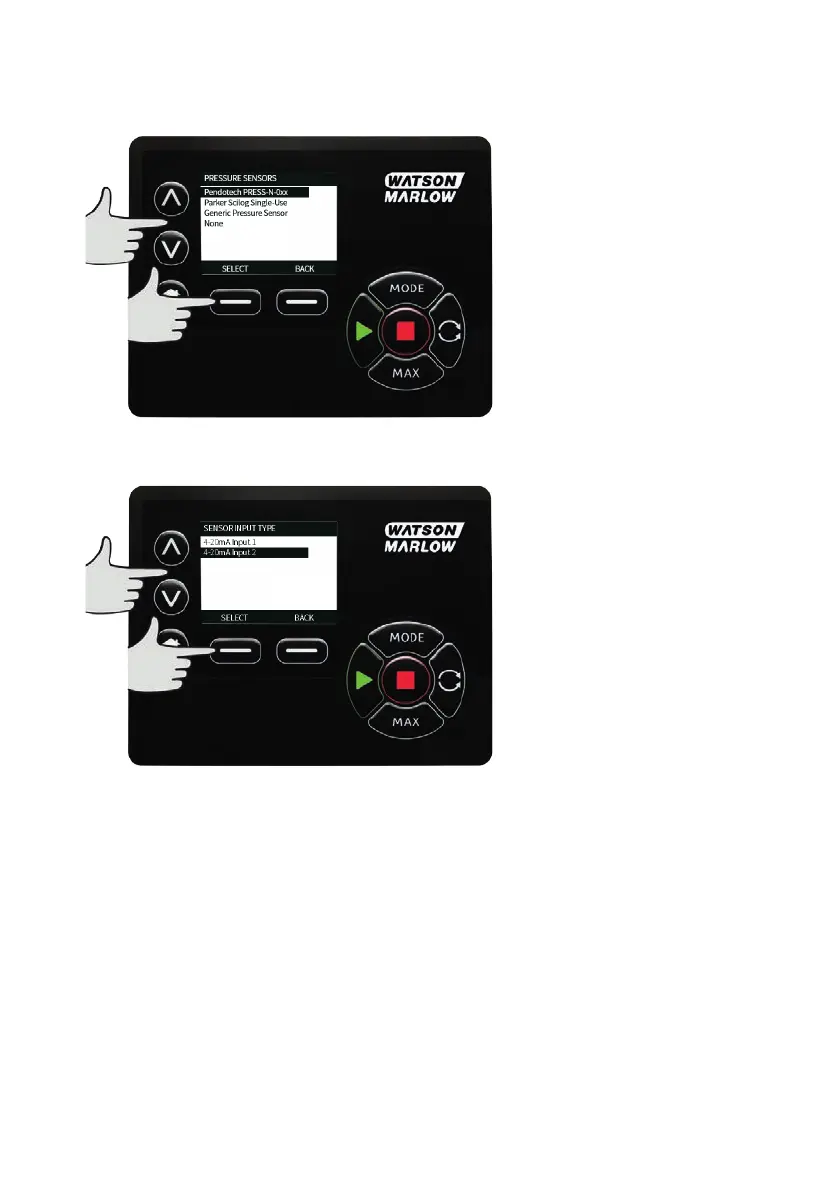
Using the ∧ /∨ keys, scroll to Flow or Pressure option and press SELECT. This selects the type of
sensor to configure.
A list of supported flow sensor families are displayed. The example in the image above shows supported
flow sensors. Using the ∧ /∨ keys, scroll to the desired flow sensor and press SELECT.
The input that the sensor is attached to needs to be assigned.
Using the ∧ /∨ keys, scroll to the desired flow sensor and press SELECT.
See "Control wiring " on page24 section for connection specifications.
m-630un-en-08 115



 To Next Page