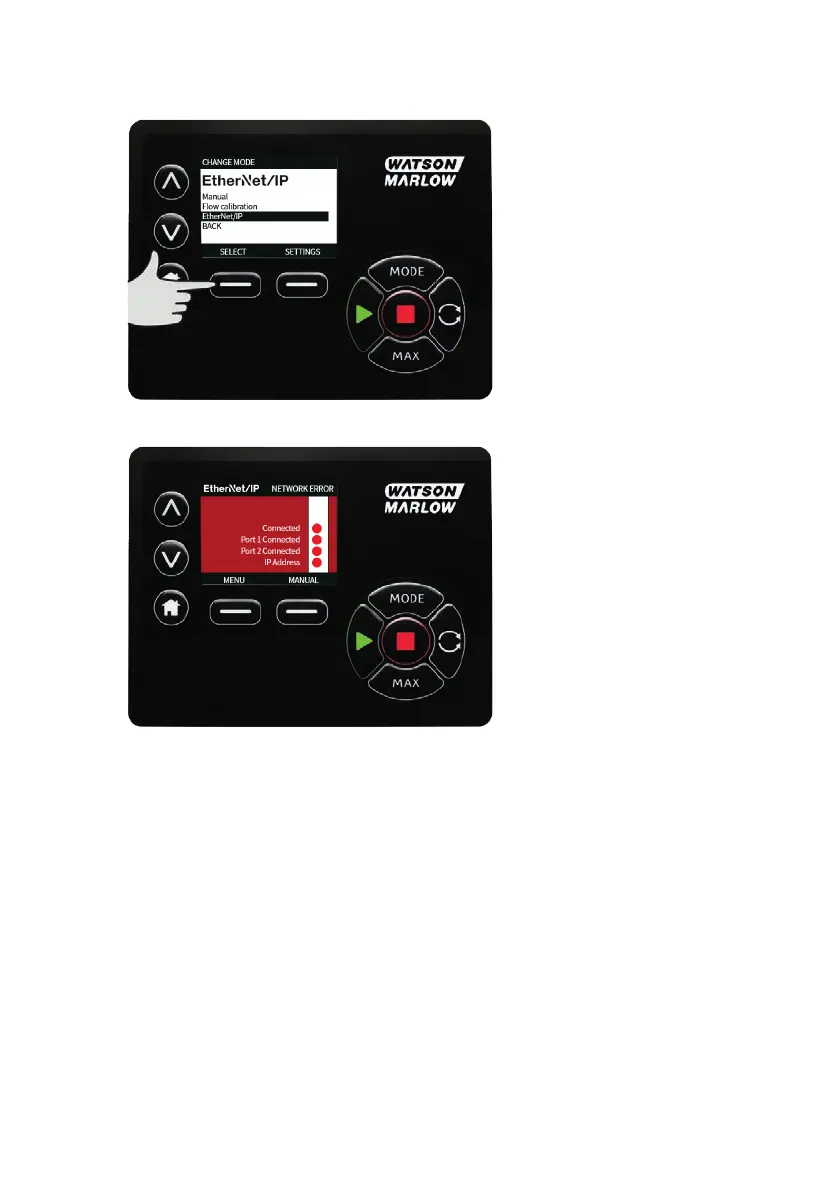
22.2 EtherNet/IP™mode
1. From the MODEmenu, highlight EtherNet/IPand press SELECTto use EtherNet/IP™ Mode.
2. The pump display will show a network error as indicated above if the pump is not connected to a
PC.
22.3 Example for http connection between pump and PC
(peer-to-peer)
Refer to "Configure EtherNet/IP™ Settings" on page90 to set your pump to the following IP
Configuration.
l IP Address: 192.168.1.12
l Subnet Mask: 255.255.255.0
l Default Gateway: 192.168.1.1
94 m-630un-en-08









 To Next Page