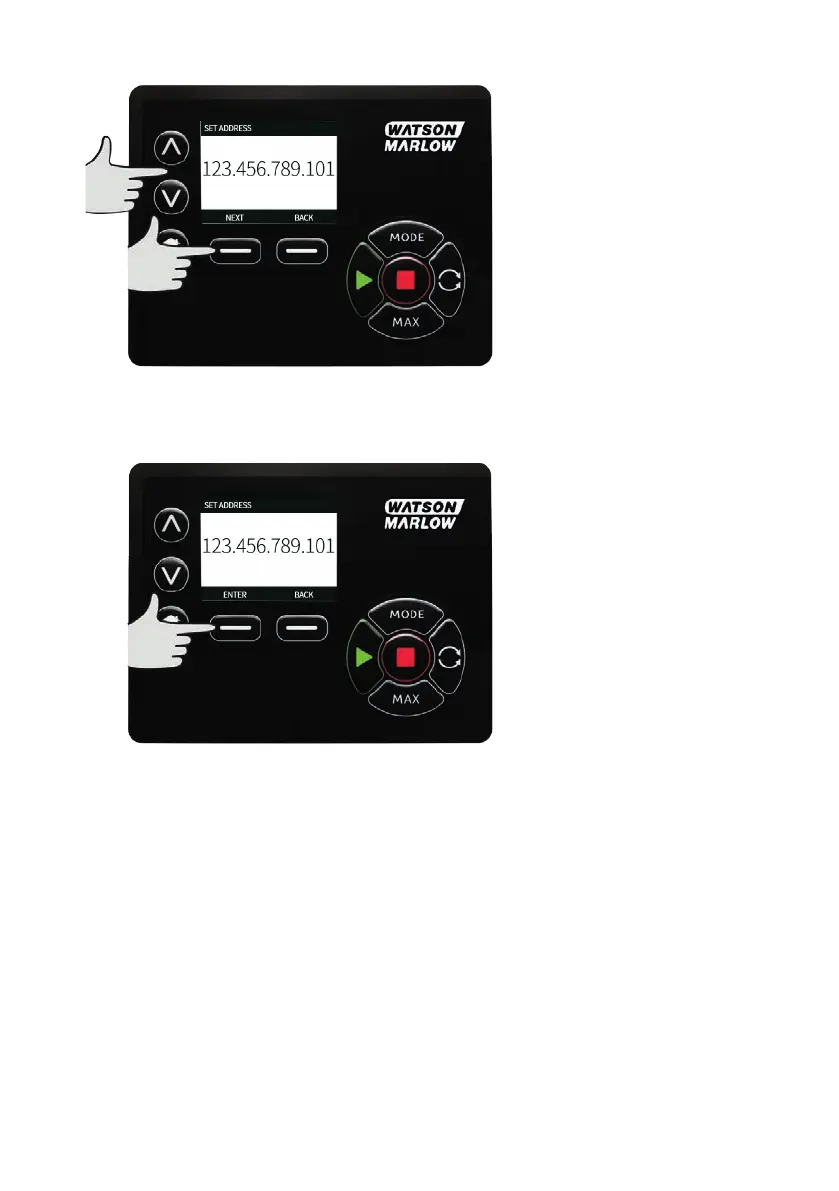
7. Use the UP and DOWN arrow keys to set the first number. Hold the UPor DOWN key increase the
scrolling speed.
8. Press ‘NEXT’ to move to the next number
9. After setting the last number, press ‘CONFIRM’ to store the number and return to the
‘ETHERNET/IP SETTINGS’ screen.
10. Press BACK to return to the MODEmenu
m-630un-en-08 93










 To Next Page