22.4 Setting up the PC
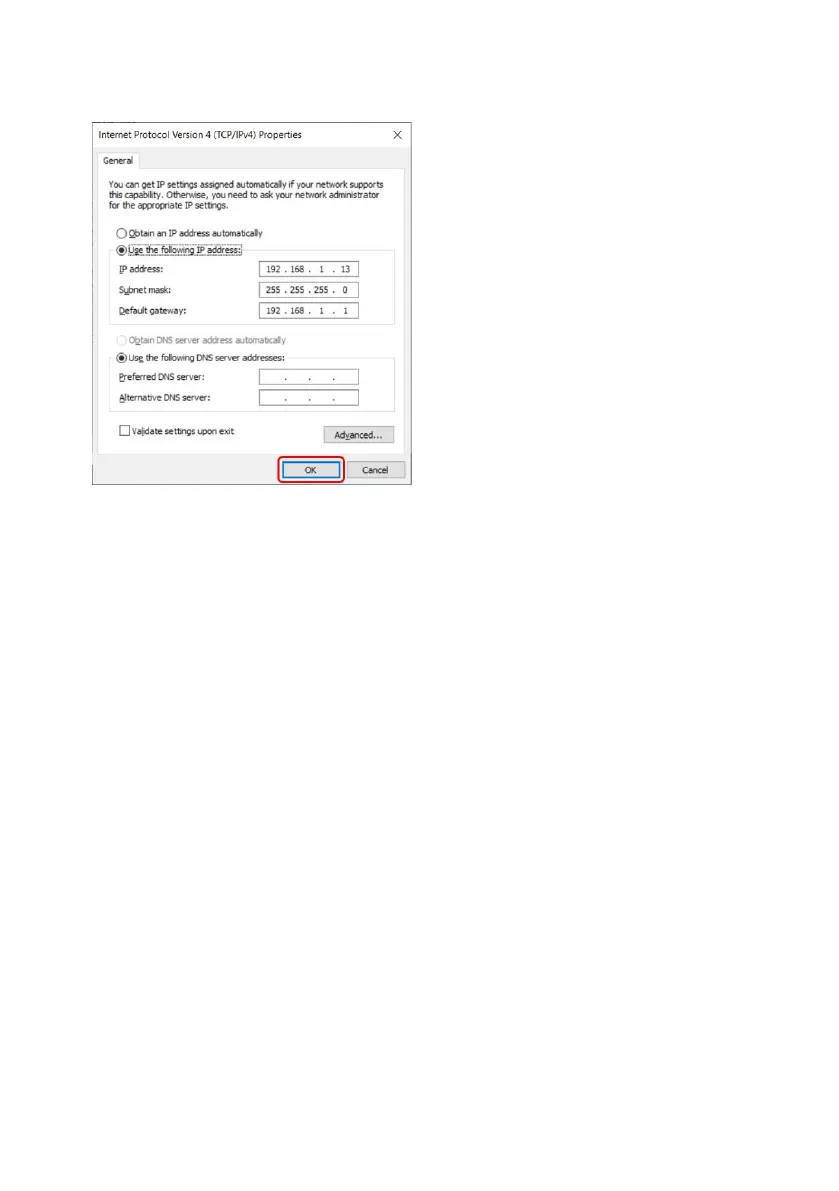
In the ‘Internet Protocol Version 4 (TCP/IPv4)
Properties’ window, select the ‘Use the following IP
address’ button and inputting the below network
settings. Press OK once done. This can be found in
the “Network Connections” window by right clicking
on the “Ethernet” connection and going to
properties .
Set as follows:
l IP Address: 192.168.1.13
l Subnet Mask: 255.255.255.0
l Default Gateway: 192.168.1.1
Select ‘OK’ (outlined in red), then close all open windows.
m-630un-en-08 95










 To Next Page