20 Analog mode
In this remote operating mode the flow rate will be proportional to the external milliamp or voltage
signal input received by the pump. The relationship between the external analog signal and the flow rate
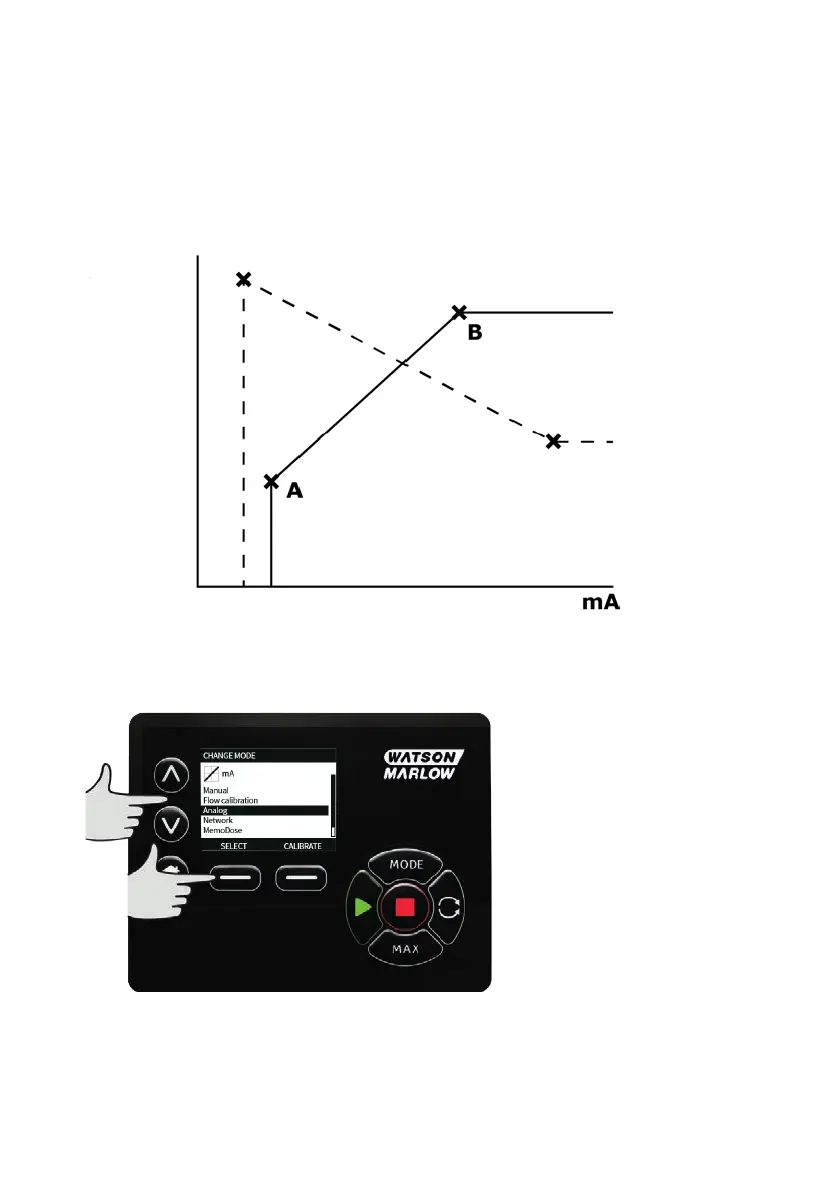
is determined by configuring the two points A and B as shown in the graph below. The rate of flow can
be proportional or inversely proportional to the analog input.
The default values stored in the pump are A (5mA, 0 %) and B (19.8mA, 100%).
When the analog signal received is greater than the level defined by point A, the run status output will be
energised as the pump is running.
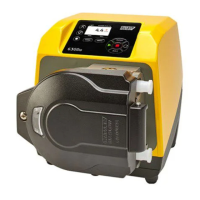
To select Analog mode select MODE. Using the ∧ /∨ keys, scroll to Analog and press SELECT.
The analog signal being received by the pump is displayed, for information only, on the INFO screen.
Press INFO to display this information.
76 m-630un-en-08









 To Next Page