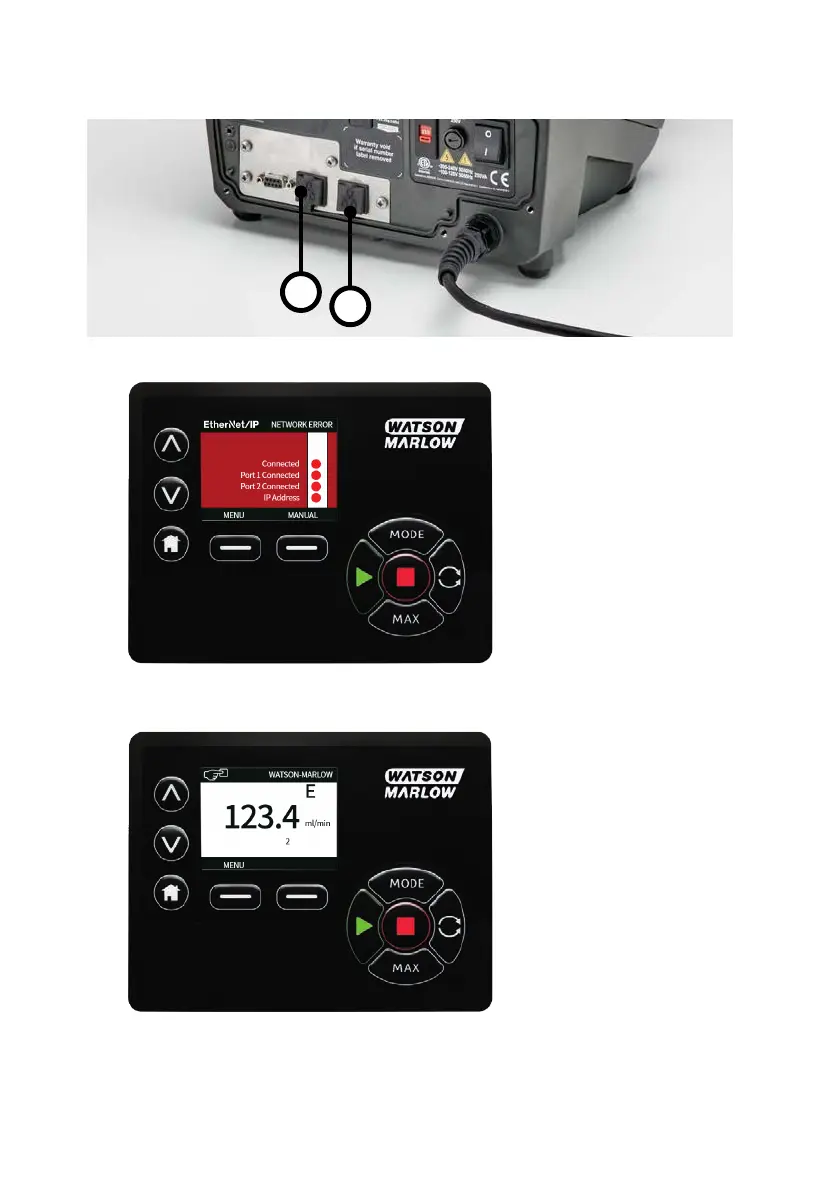
22.5 Connecting the PC to the pump
1. Connect a standard RJ45 network cable from the PC to the pump into either RJ45 connector (1,2).
2. The ‘Connected’ and ‘Port 1 Connected’ or ‘Port 2 Connected’ indicators will turn green, followed
by the ‘IP Address’. The pump will then enter EtherNet/IP™ mode.
3. The colour of the 'E' network symbol is red when disconnected and black when connected
96 m-630un-en-08









 To Next Page