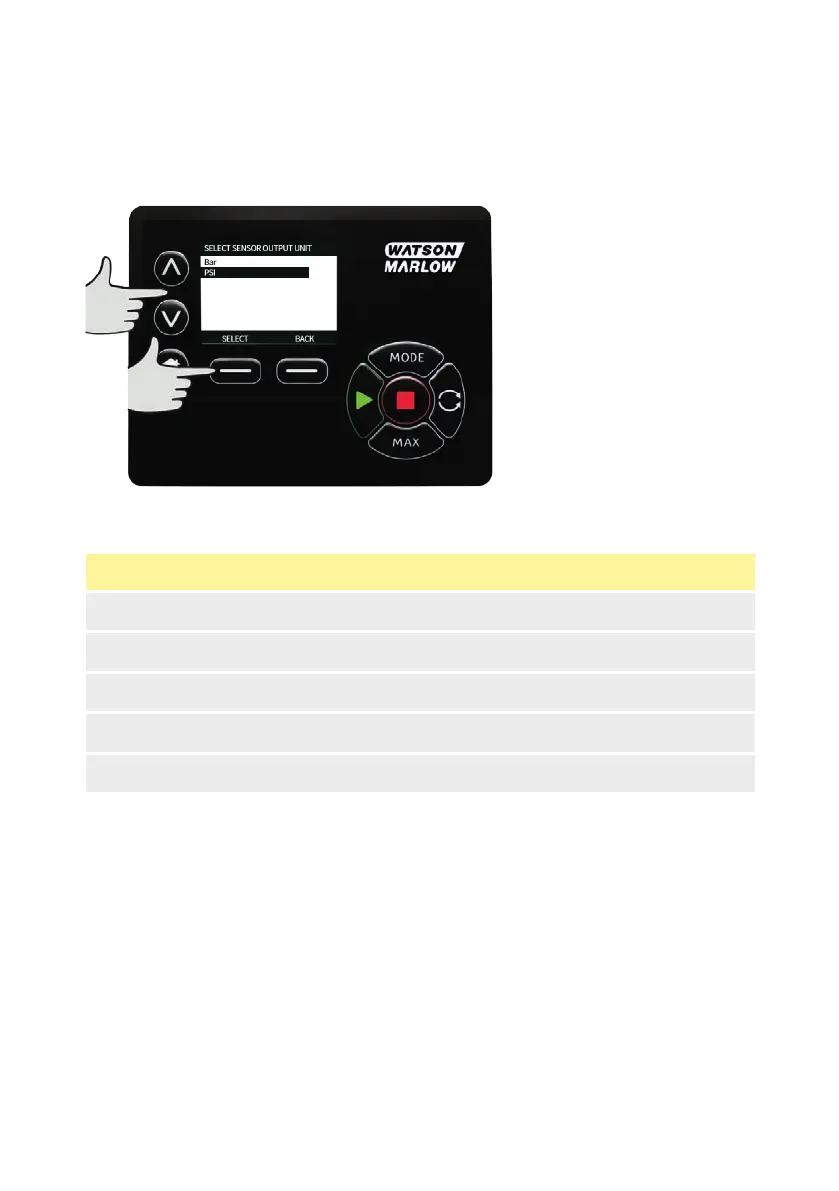
Using the ∧ /∨ keys, scroll to 4-20mA input 1 or 4-20mA input 2 option and press SELECT.
This depends on which connection the user has connected the sensor to.
See "Control wiring " on page24 section for connection specifications.
Only generic sensors which provide a 4-20mA output are supported.
Using the ∧ /∨ keys, select the sensor unit output type and press SELECT. Options in table below
depending on sensor type selection:
Flow Pressure
ul/min Bar
ml/min Psi
ml/hr
l/min
l/min
After selecting the sensor unit type the user will progress onto the “calibrate generic sensor” screen.
122 m-630un-en-08



 To Next Page