EasyManua.ls Logo

Wavetek 3000 - Performance Checks

Wavetek 3000
225 pages
Print Icon
To Next Page IconTo Next Page
To Previous Page IconTo Previous Page
Loading...
OPERATION
2
.6 .3
RF
Output
Check
Connect
the
equipment
as
shown
in
Figure
2-4
.
The
10
MHz signal
must
beat
least
0
.9
V
p-p
(a
high
frequency
oscilloscope
must
be
used
for
these
checks)
.
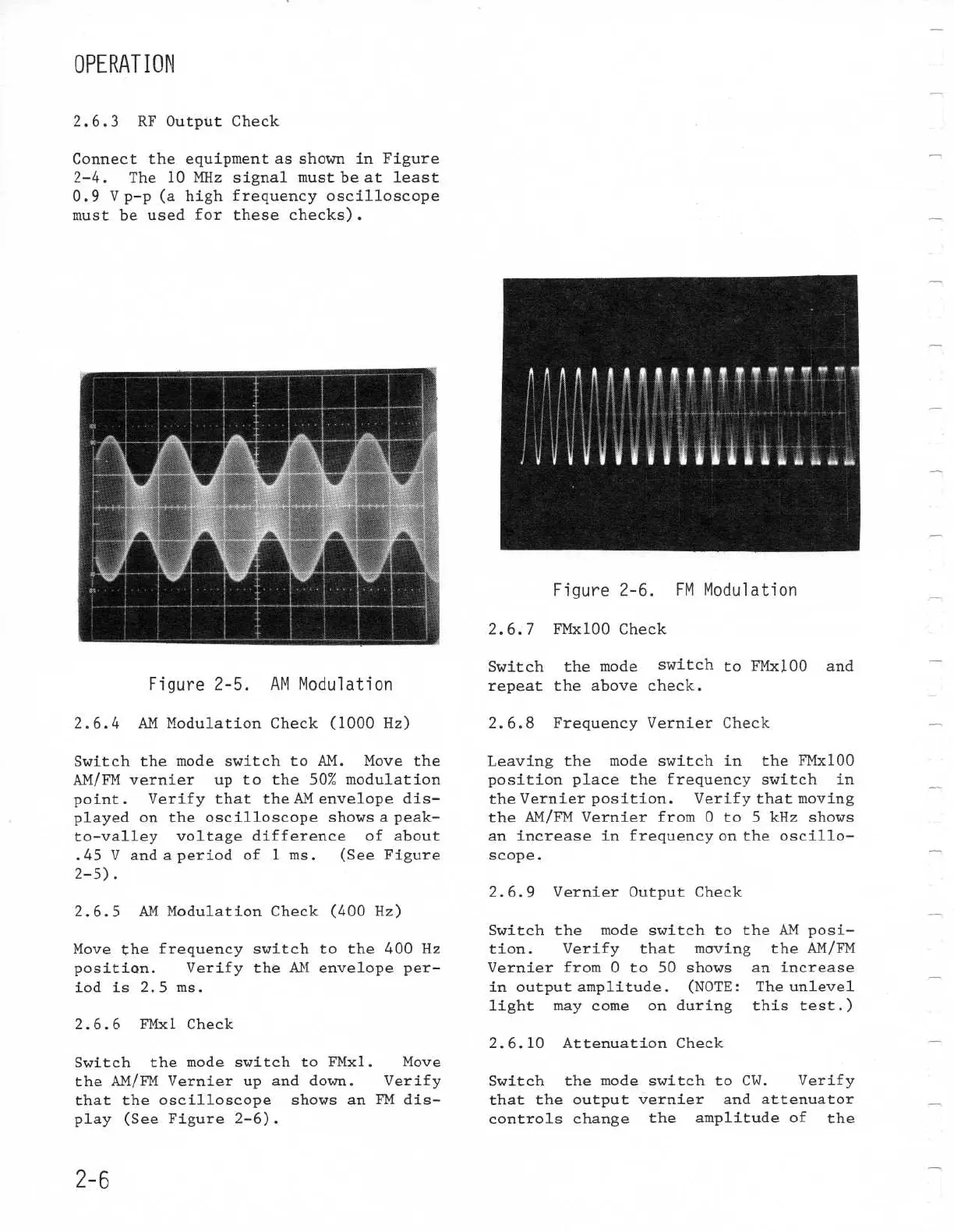
2.6.4
AM
Modulation
Check
(1000
Hz)
Switch
the
mode
switch
to
AM
.
Move
the
AM/FMvernier
up to
the 50%
modulation
point
.
Verify
that
the
AM
envelope
dis-
played
on
the
oscilloscope
showsa
peak-
to-valley
voltage
difference
of
about
.45
V
and
a
period
of
1
ms
.
(See
Figure
2
.6.6
FMxl
Check
Switch
the
mode
switch
to
FMxl
.
Move
the
AM/FMVernierup
and
down
.
Verify
that
the
oscilloscope
shows
an
FM dis-
play
(See
Figure
2-6)
.
2-6
Figure
2-5
.
AM
Modulation
Figure 2-6
.
FM
Modulation
2
.6 .7
FMx100Check
Switch
the
mode
switch
to
FMx100
and
repeat
the
above
check
.
2
.6 .8
FrequencyVernierCheck
Leaving
the
mode
switch
in
the
FMx100
positionplace
the
frequency
switch
in
the
Vernier
position
.
Verify
that
moving
the
AM/FMVernierfrom
0
to
5
kHz
shows
an
increase
in
frequency
on
the
oscillo-
scope
.
2.6
.10
AttenuationCheck
Switch
the
mode
switch
to
CW
.
Verify
that
the
output
vernier
and
attenuator
controls
change
the
amplitude
of
the
2-5)
.
2
.6.5
AM Modulation
Check
(400
Hz)
Move
the
frequency
switch
to
the
400
Hz
2
.6
.9
Vernier
Output
Check
Switch
the
mode
switch
to
tion
.
Verify
that
moving
theAM posi-
the
AM/FM
position
.
Verify
the
AM
envelopeper- Vernier
from
0
to 50
shows
an
increase
iod
is
2
.5
ms
.
in
output
amplitude
.
(NOTE
:
The
unlevel
light
may
come
on
during
this test
.)

Table of Contents

Related product manuals