EasyManua.ls Logo

Wavetek 3000 - Harmonics Test

Wavetek 3000
225 pages
Print Icon
To Next Page IconTo Next Page
To Previous Page IconTo Previous Page
Loading...
4
.
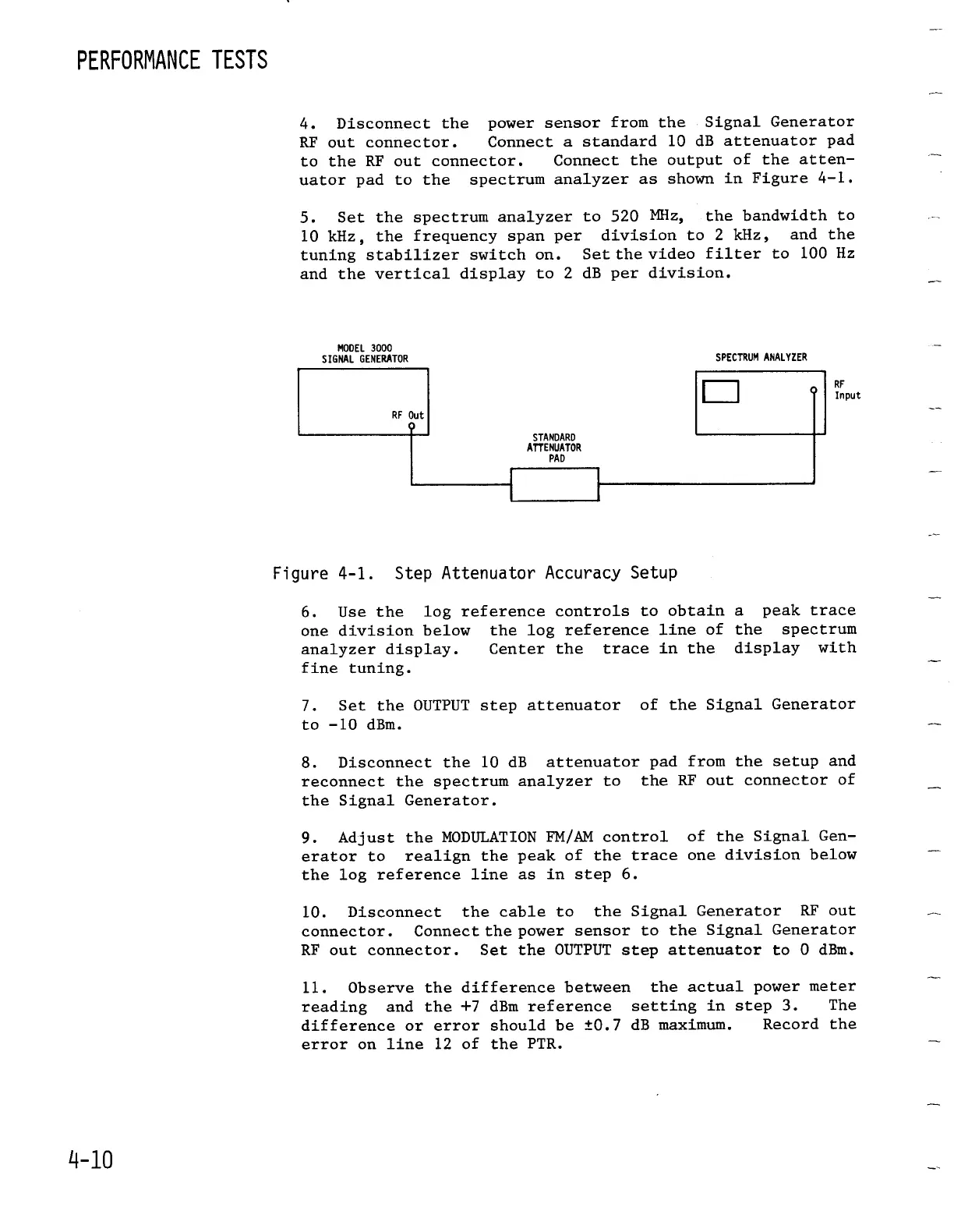
Disconnect
the
power
sensor
from
the
Signal
Generator
RF
out
connector
.
Connect
a
standard
10
dB attenuator
pad
to
the
RF
out
connector
.
Connect
the
output
of
the
atten-
uator
pad
to
the spectrum
analyzer
as
shown
in
Figure
4-1
.
5
.
Set
the
spectrum
analyzer
to
520
MHz,
the
bandwidth
to
10
kHz,
the
frequency
span
per
division
to
2
kHz,
and the
tuning
stabilizer
switch
on
.
Setthe
video filter
to
100
Hz
and
theverticaldisplay
to
2
dB
per
division
.
MODEL
3000
SIGNAL
GENERATOR
SPECTRUMANALYZER
RF
Out
O
STANDARD
ATTENUATOR
PAD
Figure
4-1
.
Step
Attenuator
Accuracy
Setup
6
.
Use
the log
reference
controls
to
obtain
one
division
below
the log
reference
line
of
analyzerdisplay
.
Center
the
trace
in
the
fine
tuning
.
7
.
Set the
OUTPUT
step
attenuator
to
-10 dBm
.
9
.
Adjust
the
MODULATION
FM/AM
control
erator
to
realign
the
peak
of
the
trace
the log
reference
line
as
in
step
6
.
RF
Input
a
peak
trace
the
spectrum
display with
of
the
Signal
Generator
8
.
Disconnect
the
10
dB
attenuator
pad
from
the
setup
and
reconnect
the
spectrumanalyzer
to
the
RF
out
connector
of
the
Signal
Generator
.
of
the
Signal
Gen-
one
division
below
10
.
Disconnect
the
cable
to
the
Signal
Generator
RF
out
connector
.
Connect
the
powersensor
to
the
Signal
Generator
RF
out
connector
.
Set
the
OUTPUT
step
attenuator
to
0
dBm
.
11
.
Observe
the
difference
between
the
actual
power
meter
reading
and the
+7
dBm
reference
setting
in
step
3
.
The
difference
or
errorshould
be ±0
.7
dB
maximum
.
Record
the
error
on
line
12
of
the
PTR
.

Table of Contents

Related product manuals