Registration Call
WHY?
Test whether the mobile sets up a registration answer to
the calling base station.
Requirement
The mobile is not in an analog or digital traffic channel.
In any other case drop the call with
{RELEASE}
.
The mobile is not in test mode.
HOW?
Make the general test preparations.
Press
{REGISTER}
in the basic test mask. The Communi-
cation Test Set sends a registration call to the mobile
and waits for the answer.
If the mobile fails to respond to the registration call, halt
the test with
{STOP}
, enter a new, valid home system
number and start the test again.
Test Results
A
+
D
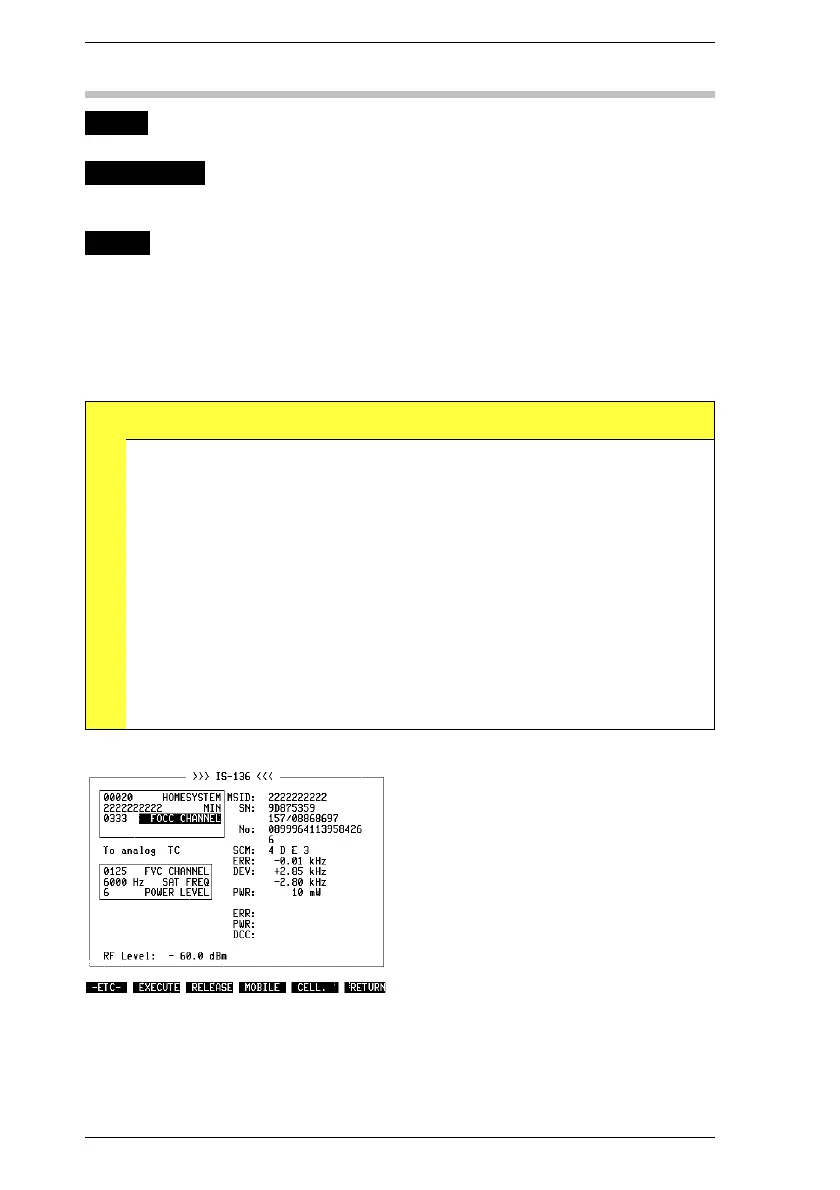
RESULt1 MIN
IMSI
Received mobile station identification (MIN or IMSI).
RESULt2
RESULt3
SN 1st line: Serial number of mobile (hexadecimal code).
2nd line: Serial number of mobile (decimal code).
RESULt6 SCM Station class mark
1st character: power class
(1 = high, 2 = medium, 3 = low, 4 = very low)
2nd character: transmit mode
(blank = continuous, D = discontinuous)
3rd character: RF bandwidth
(blank = 20 MHz; E = extended = 25 MHz)
4th character: mobile type
(0 = analog mobile; 1 = IS-136 mobile)
Fig. 10.8: Results of a registration call.
IS-136 MS Registration Call
10-16



 To Next Page