Change SAT
WHY?
Test whether the mobile switches to a different SAT
(supervisory audio tone), sends this back correctly to the
base station and thus maintains connection.
Requirement
The mobile is not in test mode.
Make the general test preparations. The channel type
must be To analog TC.
Initiate a call with
{MOBILE}
or
{CELL.}
(the mobile must be
in an analog traffic channel).
HOW?
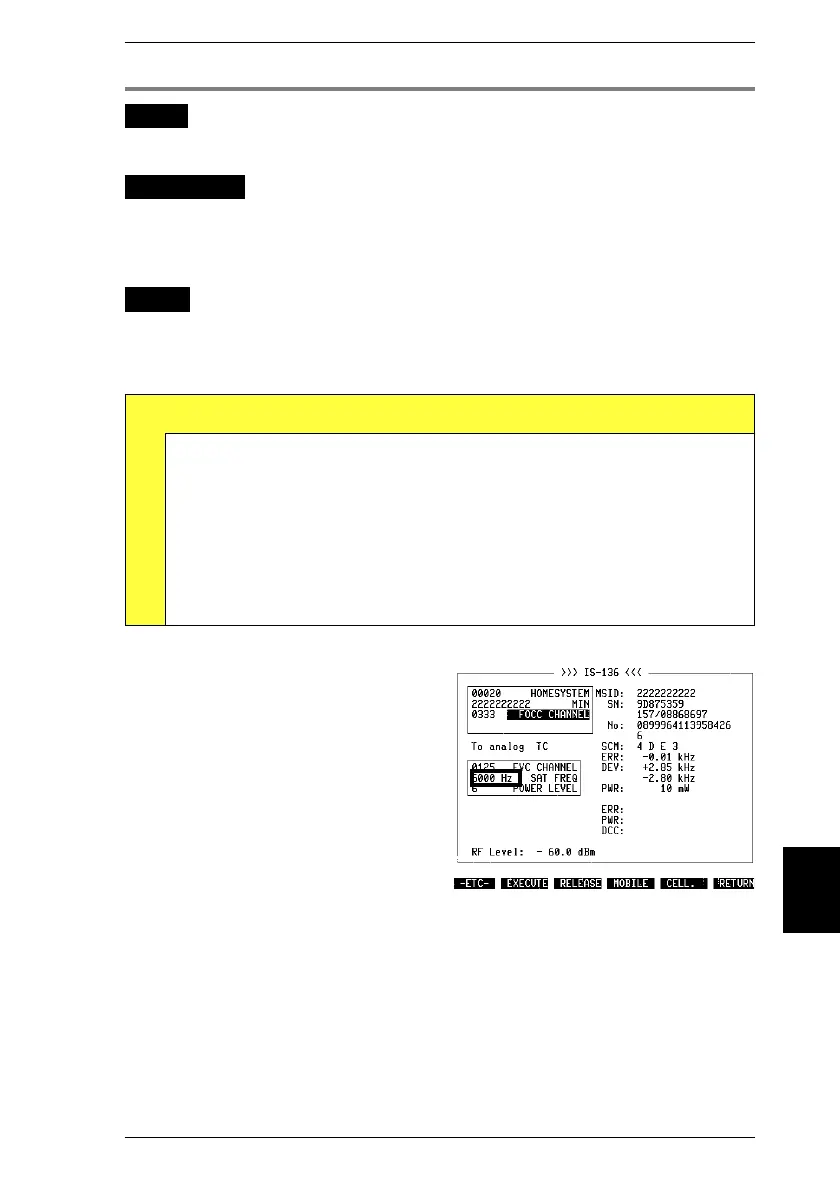
Change the scroll variable for SAT frequency.
Press
{EXECUTE}
in the basic test mask. In this way
signaling adopts the new SAT frequency.
Test Results
A
Mobile could send back new SAT correctly: connection does
not break off, basic test mask continues to show results in
analog sector. Exception: if NO SAT is selected, connection
must break off after approx. 5 s.
Frequency of SAT can be read from AF frequency meter in
DUPLEX mask (return to basic test mask with
[AUX]
+
{DATA}
).
Mobile could not send back new SAT correctly: connection
usually breaks off.
Fig. 10.12: SAT has two major functions in
AMPS radio networks:
a) SAT frequency serves mobile and base
station for mutual recognition.
b) Phase drift results when mobile is moving.
From this base station is able to detect
whether mobile is moving away fast, for
example, and power level should be in-
creased.
10
Handoff Procedures IS-136 MS
10-23



 To Next Page