Hookflash
WHY?
Test whether the mobile – during a call – correctly sends
the call request for a third subscriber (conference cir-
cuit).
Requirement
The mobile is able to handle hookflash.
The mobile is not in test mode.
Make the general test preparations.
Initiate a call with
{MOBILE}
or
{CELL.}
(the mobile must be
in an analog or digital traffic channel).
HOW?
Press
{HOOKFLSH}
in the basic test mask. This produces
the prompt Dial number, then Send in the status
line. The test setup is now waiting for the telegram that
contains the call number for the third party.
Enter the call number on the mobile and send it to the
test setup by pressing the
[SEND]
key.
Test Results
A
+
D
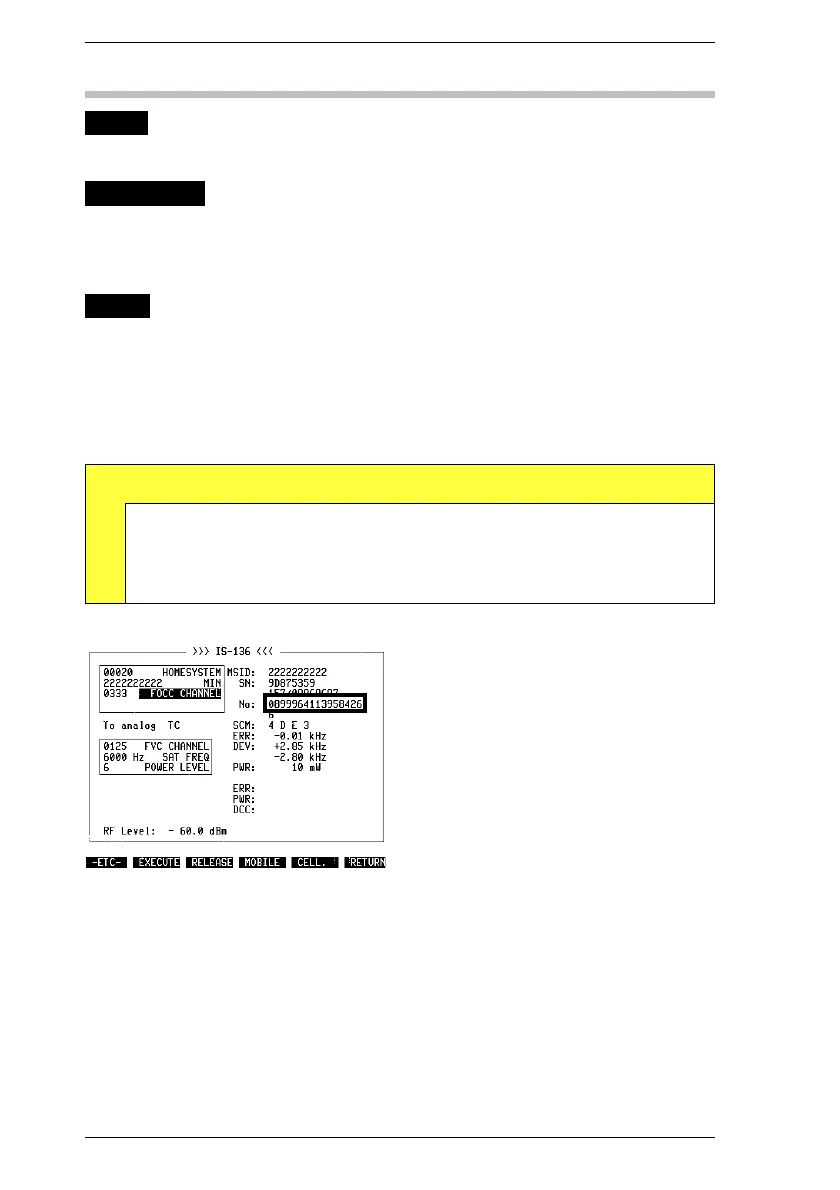
RESULt4 F-No Indicated call number must be same as dialed on mobile.
Fig. 10.19: Call number dialed on mobile ap-
pears in No display field as in "Call from
mobile" test. To distinguish both tests, F is
prefixed to display field for hookflash.
IS-136 MS Hookflash
10-30



 To Next Page