Select power unit
Call up the GENERAL PARAMETERs mask:
[AUX]
+
{DEF. PAR}
.
Select the power unit (WATT|dBm) with the scroll field
RF-Power. The selected unit will appear in all RF power
measurement results.
Select
pre-attenuation
Enter the compensation value in the Pre-attenuation
field of the GENERAL PARAMETERs mask. If any other
value than 0 is entered, the pointer ATT appears in all
relevant masks to draw your attention to the correction
of the measured and the transmitted RF level (for more
information, see details of GENERAL PARAMETERs
mask).
Select EMF/50Ω
ΩΩ
Ω
Call up the Duplex or RX mask.
Use the softkey to select RF output level = EMF or
measured into 50Ω (standard).
Loading system program
Depending on the capacity of the available memory cards, the IS-136 MS-TEST
system program is supplied on one or more (n) cards.
1) Insert the first memory card (1 of n) in the slot on STABILOCK.
2) Press
[AUX]
+
{DATA}
to start the loading procedure.
3) When the message INSERT NEXT CARD appears in the status line onscreen,
insert the next card.
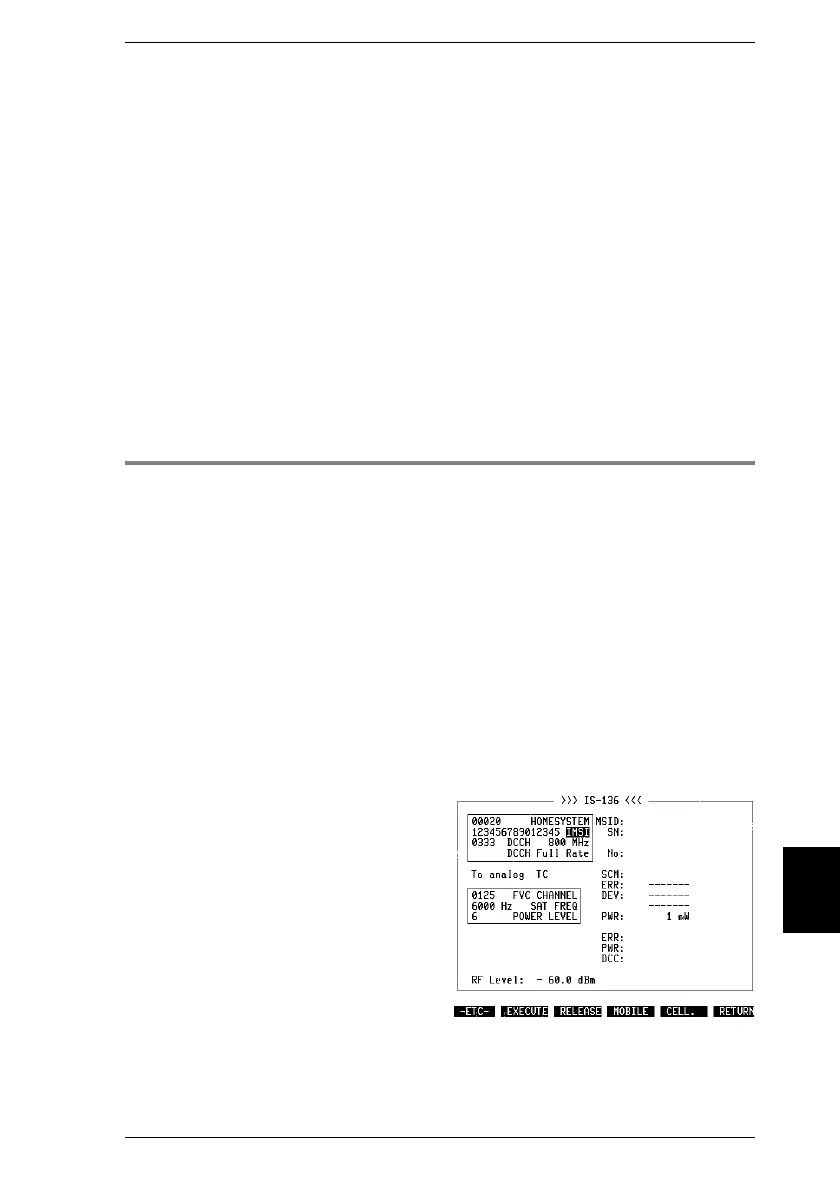
4) When the system program is fully loaded, the basic IS-136 test mask appears
onscreen (Fig. 10.3).
5) Now insert the first memory card again or leave the single one in place. In this
way STABILOCK can store entered test parameters on the card so that you
do have not to enter them again the next time you call up the system program
(deactivate write protection if it is set on the memory card).
Fig. 10.3: Basic IS-136 test mask immedi-
ately after calling up system program.
10
Introduction IS-136 MS
10-7



 To Next Page