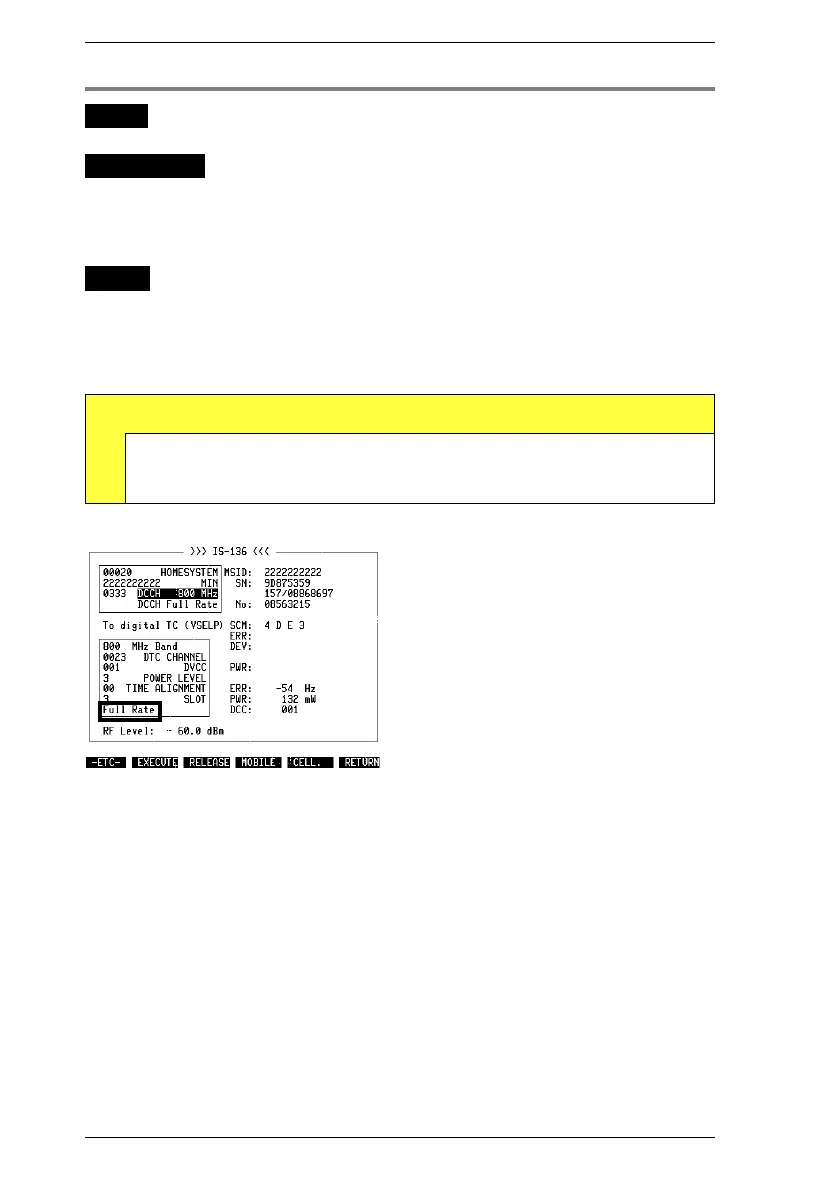
Change transfer rate
WHY?
Test whether a half-rate mobile also works correctly in
full-rate mode.
Requirement
The mobile is not in test mode.
Make the general test preparations. The channel type
must be To digital TC.
Initiate a call with
{MOBILE}
or
{CELL.}
(the mobile must be
in a digital traffic channel).
HOW?
Change the transfer rate. Note: a mobile with a full-rate
speech codec cannot handle half rate.
Press
{EXECUTE}
in the basic test mask. In this way
signaling adopts the new transfer rate.
Test Results
D
Mobile could switch to new rate: connection does not break
off, basic test mask continues to show results in digital sector.
Mobile could not switch to new rate: connection breaks off.
Fig. 10.18: Full-rate mobile can only handle
three time slots per DTC, but half-rate mobile
can work with six time slots.
IS-136 MS Handoff Procedures
10-28



 To Next Page