Change analog/digital power level
WHY?
Test whether the mobile correctly switches to a different
power level.
Requirement
The mobile is not in test mode.
Make the general test preparations.
Initiate a call with
{MOBILE}
or
{CELL.}
(the mobile must be
in an analog or digital traffic channel).
HOW?
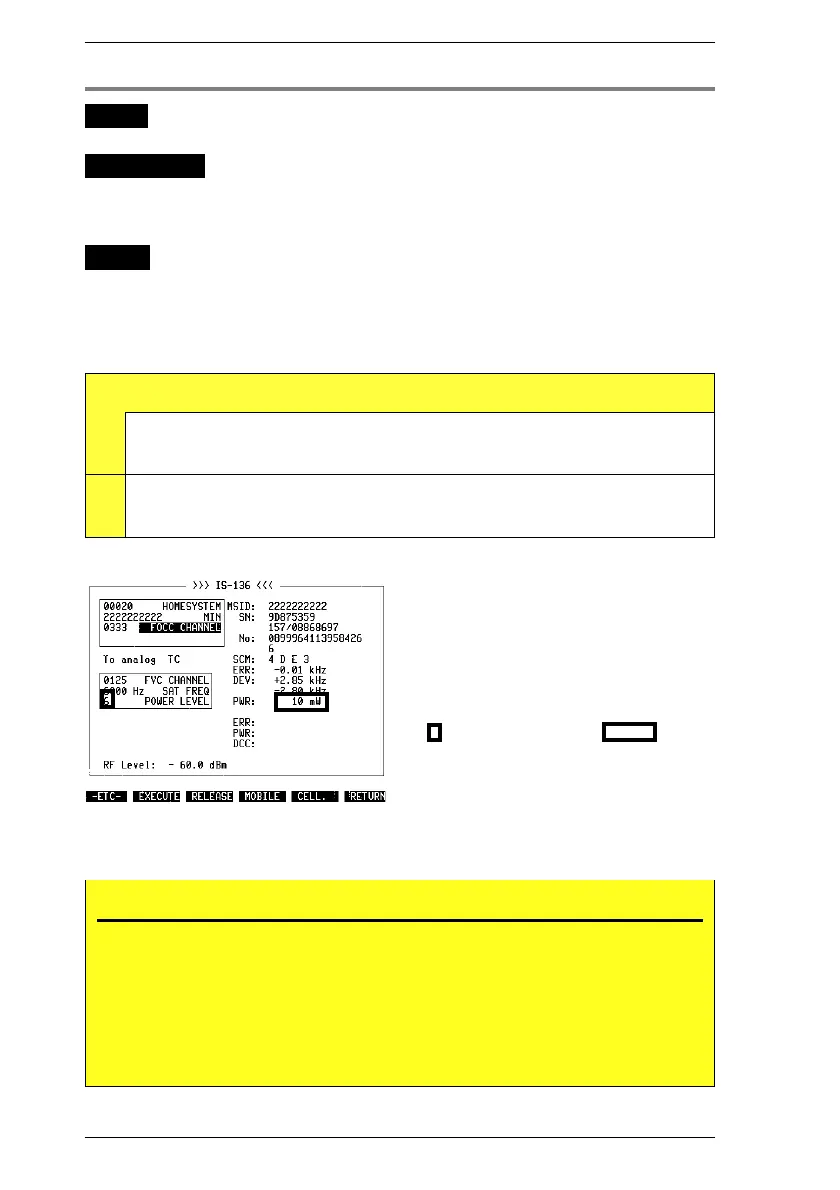
Change the POWER LEVEL for the selected channel
type in the appropriate (analog or digital) field.
Press
{EXECUTE}
in the basic test mask. In this way
signaling adopts the new power level.
Test Results
A
MPOWER PWR Mobile output power in current analog TC (see appendix).
Note: maximum possible power level depends on mobile type
reported in SCM message.
D
RESULt8 PWR Mobile output power in current digital TC (see appendix).
Note: maximum possible power level depends on mobile type
reported in SCM message.
Fig. 10.13: Power-level handoff (analog
channel).
Fig. 10.14: Power-level handoff (digital
channel).
No PWR figure?
If the PWR figure is missing after a handoff at low power level, it means that the
transmitting power of the mobile could not be measured precisely. This happens, for
example, when a switch is made from an analog to a digital TC and a low POWER
LEVEL < 4 is requested.
Remedy: Hand off first with a high POWER LEVEL > 4. This always produces an exact
PWR figure that is used internally to calibrate the power meter. Proceeding from this, a
further handoff at any power level will also produce a correct PWR figure.
IS-136 MS Handoff Procedures
10-24



 To Next Page