Installation and Initial Operation 40 Markoprint Integra Vivid
Page 15 of 45 GB
Activation of the HMI
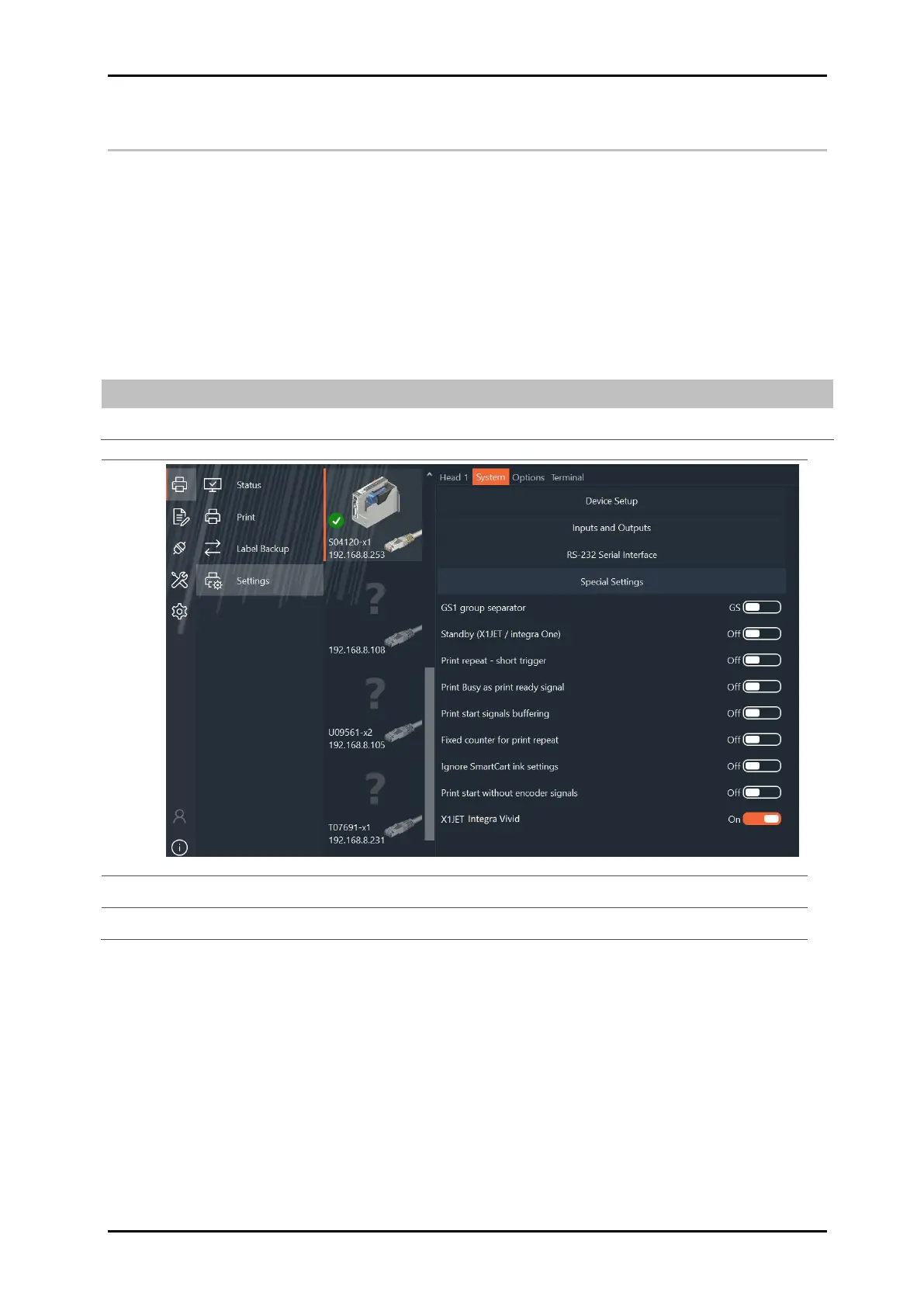
To be able to use the integra Vivid, it must be activated once on the X1JET or PP 108.
Requirements
The HMI has been connected to the printing system
The printing system is connected to a PC or laptop via Ethernet or USB stick.
Instruction
To activate the HMI:
Open idesign and go to Settings >> System >> Special settings
After the print system has restarted, you can use the HMI


 To Next Page