Operation 40 Markoprint Integra Vivid
Page 22 of 45 GB
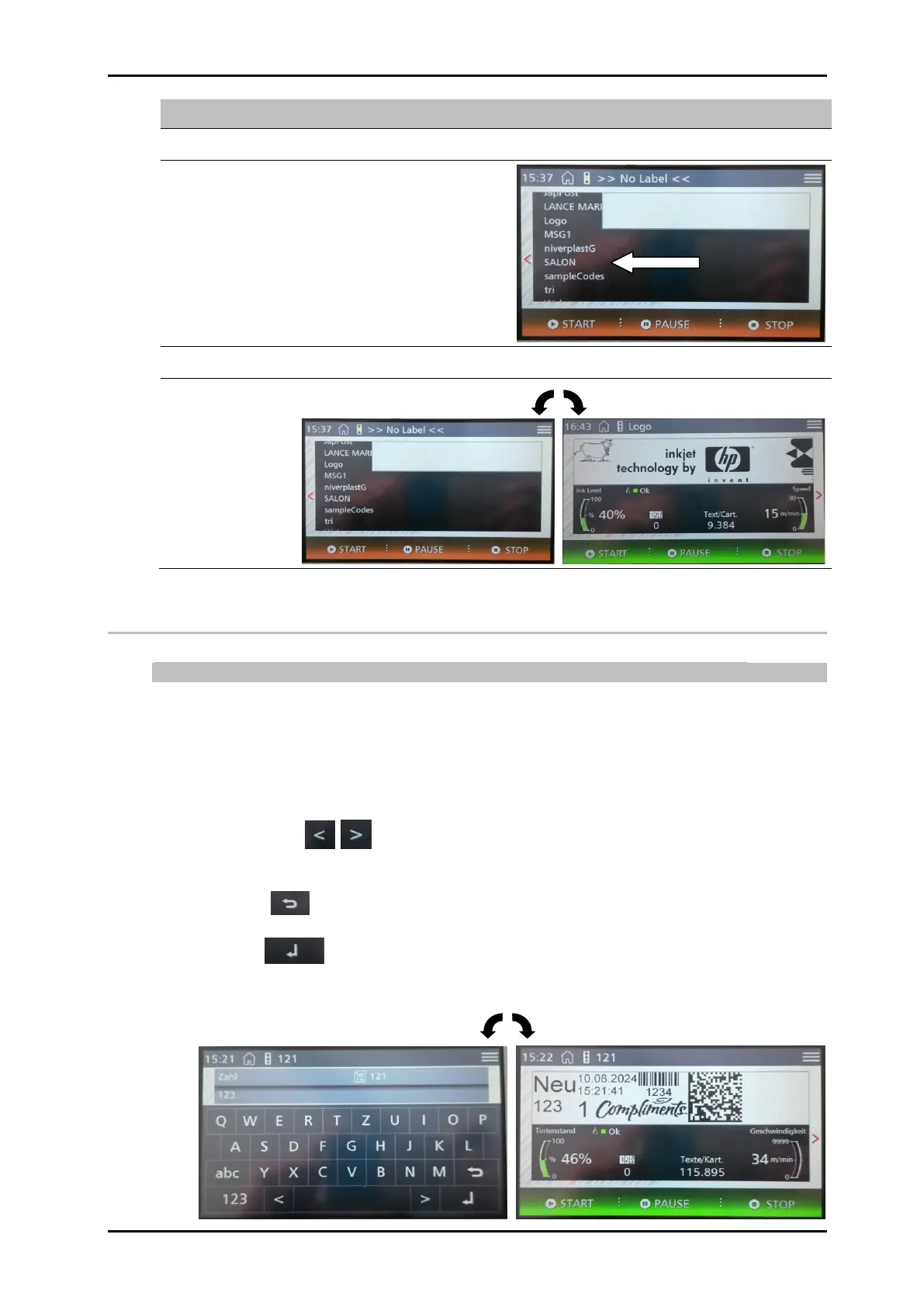
Scroll through the stored print images by dragging them up and down.
Confirm the print image selected for printing by touching the [Start] button.
Variable input
The input of variable data is possible from the system version Advanced.
If a print image containing a variable field has been selected, the prompt appears in the
display after confirming the print image selection. The desired number, letter or special
character can be selected by touching the keyboard shown on the screen.
It is also possible to insert a space. Touch the space bar that can be found between the
two arrow symbols.
The arrow symbols can be used to jump back and forth between the individual
positions in the variable text.
The delete key is used to delete the previous digit.
The Enter key confirms the variable text and inserts it into the print image.


 To Next Page