Operation 40 Markoprint Integra Vivid
Page 19 of 45 GB
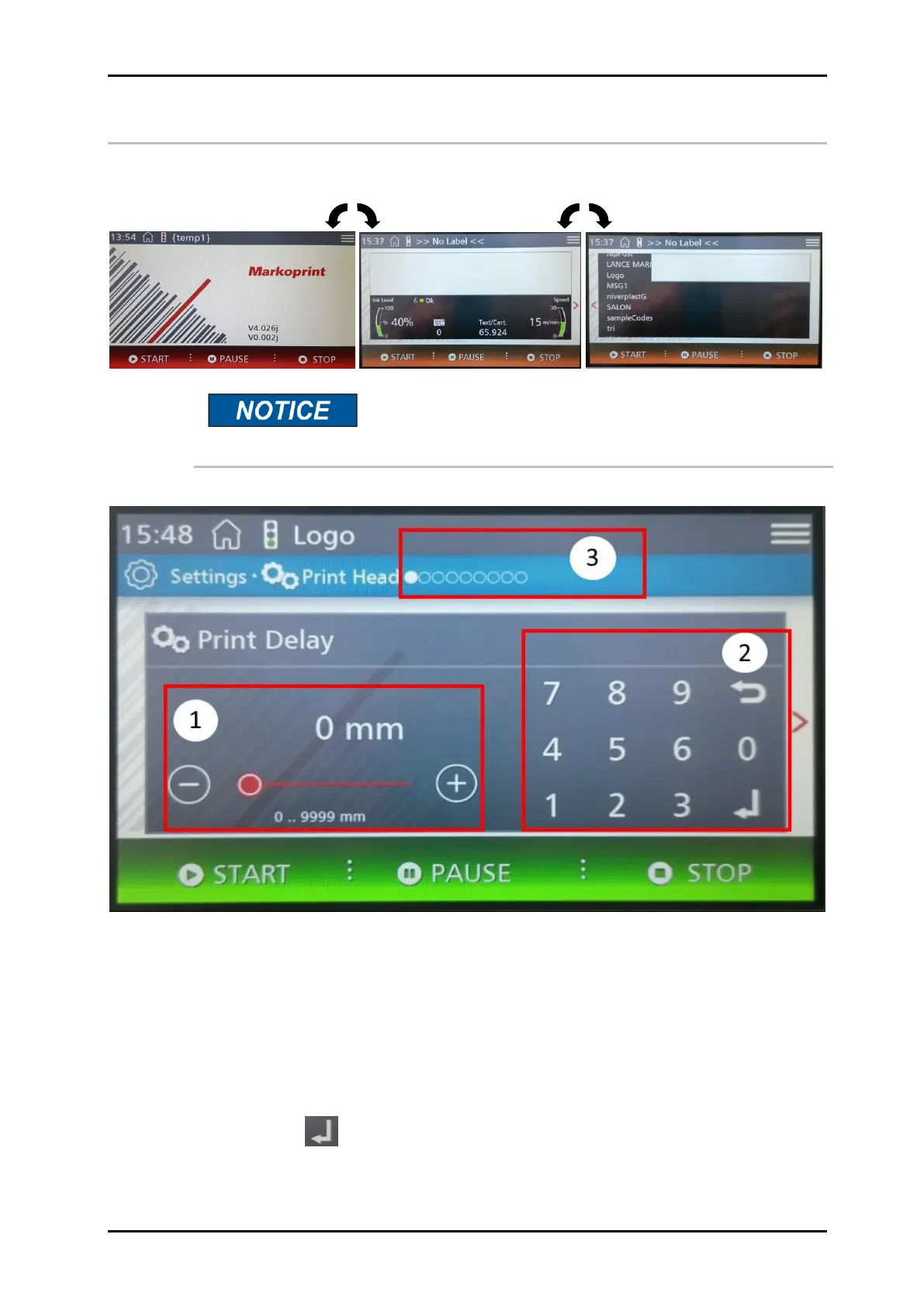
Menu structure of the Markoprint integra Vivid
Home Screen Status Print Image selection
All settings can be changed popularly (see picture
explanation).
1. The print position can be adjusted step by step by tapping or holding the (+) and (-)
field.
The change is accelerated the longer the button is pressed
Any value can be selected with the slider. To operate, first touch for 1 sec. The slider
turns green and can be operated as long as it is green
2. Any value can be entered by tapping the numbers.
Then confirm with .
3. When dragging or tapping on the dots, scroll through the settings on the screen.


 To Next Page