Print Head settings 40 Markoprint Integra Vivid
Page 28 of 45 GB
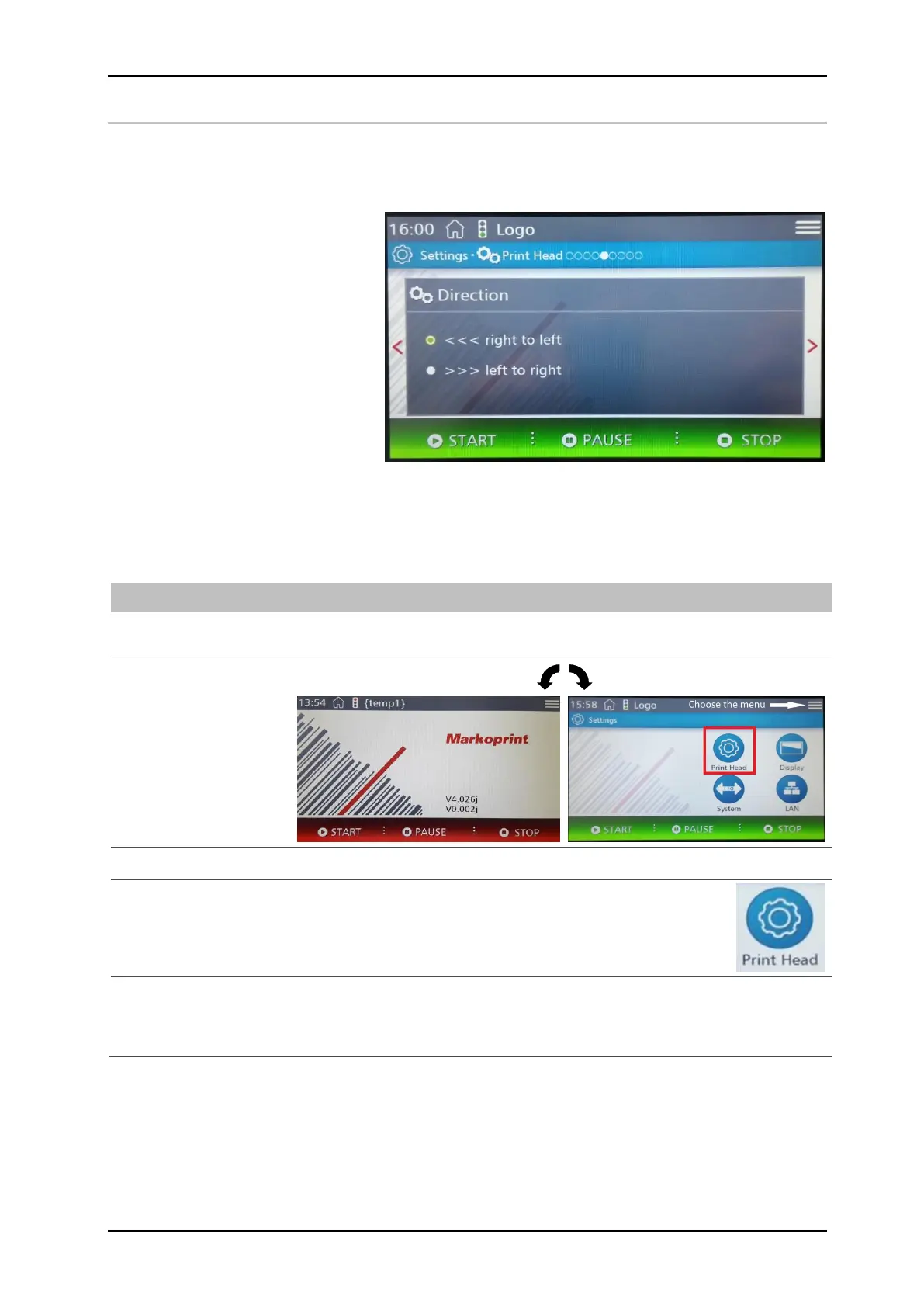
Print direction
The parameter print direction indicates the direction of movement of the product on the
conveyor belt viewed from the controller in the print direction. The setting options are
from left to right or from right to left.
Instruction
Please set up the print direction as follows
Tap the menu button.
The Settings menu is displayed.
Tap the print head button.
The print position menu is displayed.
Call the Print direction menu by dragging and tapping the dots to scroll through
the setting levels.
The Print direction menu is displayed


 To Next Page