Print Head settings 40 Markoprint Integra Vivid
Page 30 of 45 GB
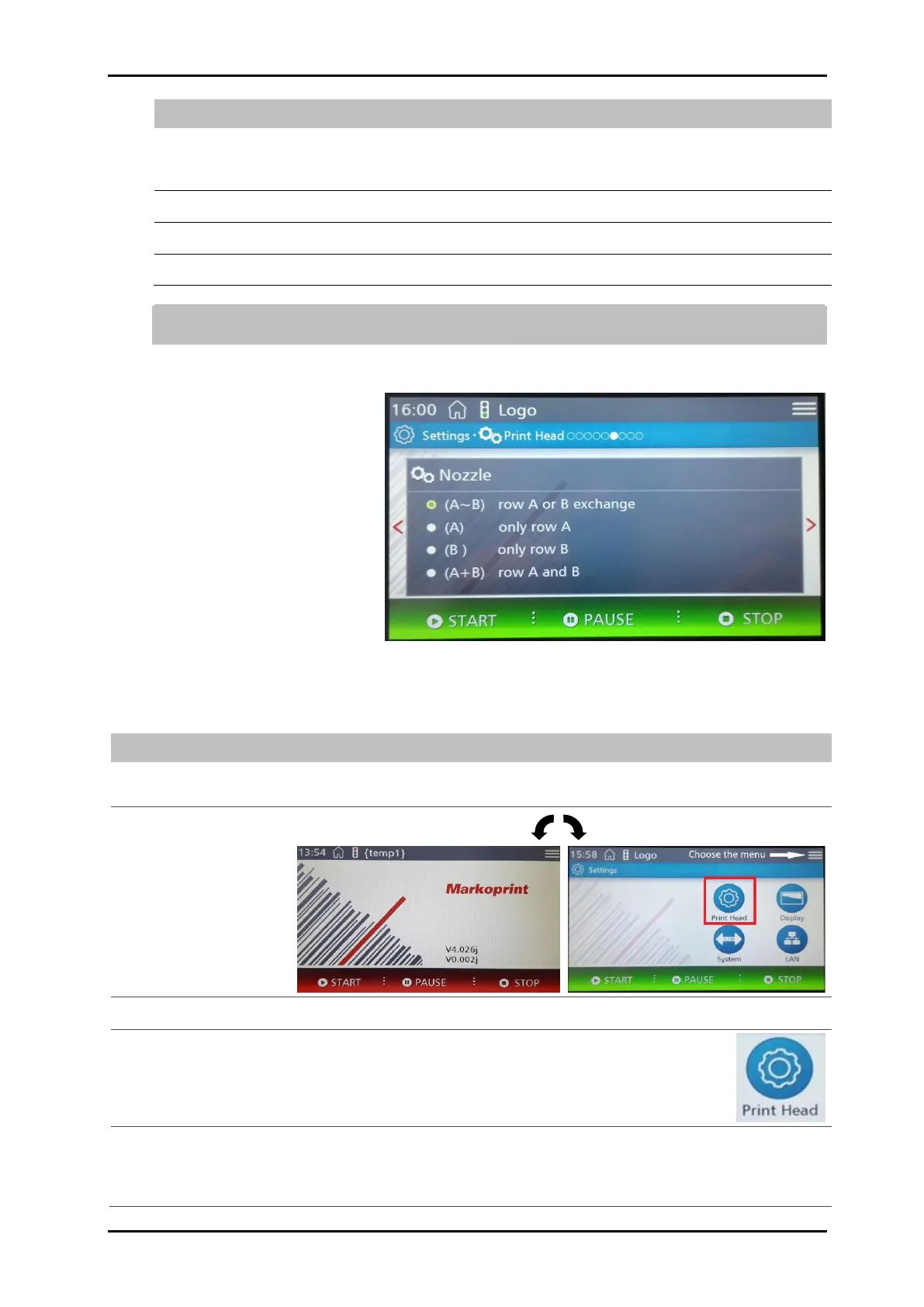
Printing with both nozzle rows, alternating. The first print image is printed with
nozzle row A and the second text with nozzle row B. Vertical resolution:
300 dpi
Printing with both nozzle rows together. Vertical resolution: 600 dpi
Printing only with nozzle row A. Vertical resolution: 300 dpi
Printing only with nozzle row B. Vertical resolution: 300 dpi
With setting A + B, the print speed must be accurately set, to produce a good print
result. Otherwise the print image is blurred.
Instruction
To select the nozzle row proceed as follows:
Tap the menu button.
The Settings menu is displayed.
Tap the Print head button.
The Print position menu is displayed.
Call the Nozzle row menu by dragging and tapping the dots to scroll through the
setting levels.
The Nozzle row menu is displayed.


 To Next Page