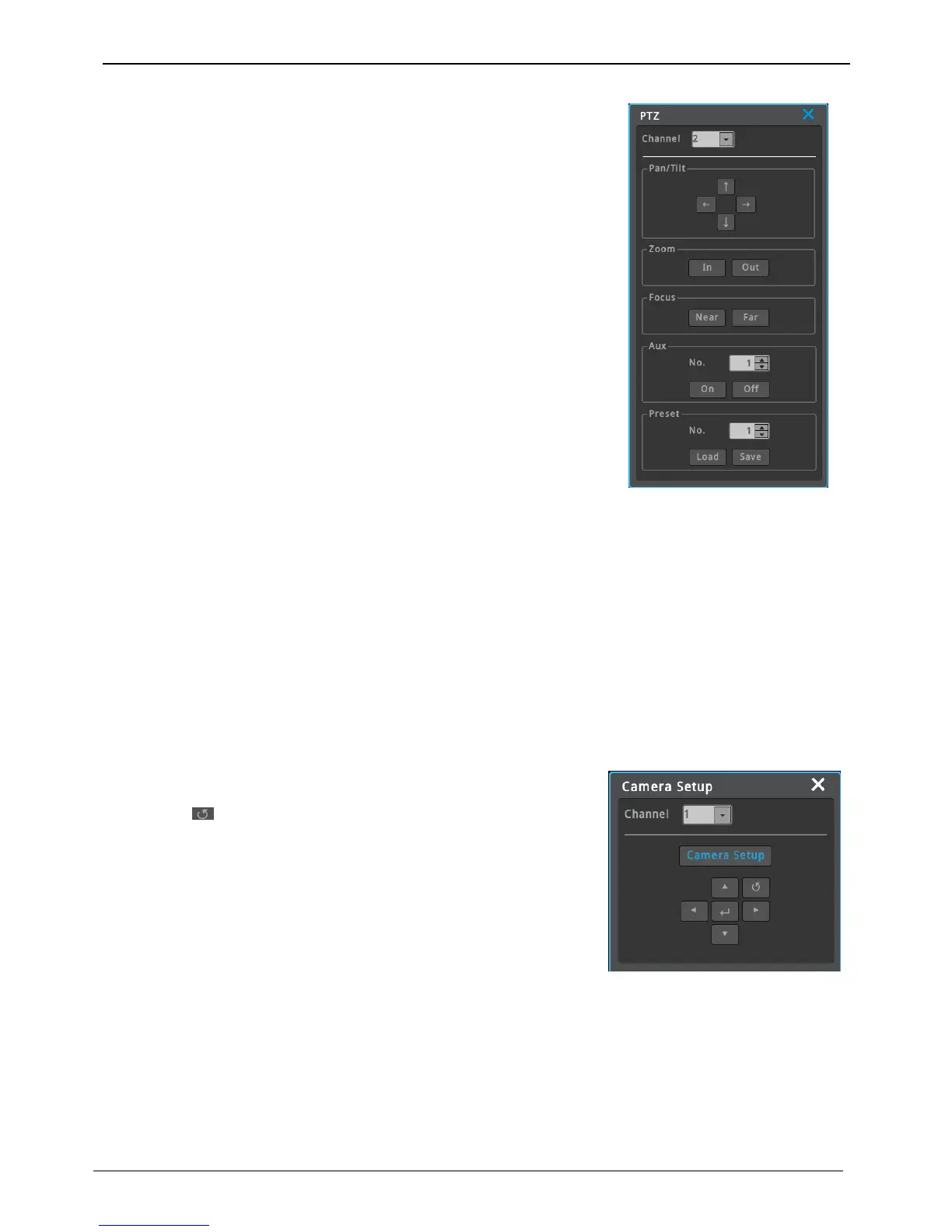
PTZ
When PTZ is on, through PTZ button on front or PTZ buttons under FUNC
menu, users can use pan/tilt, zoom, focus, aux and preset functions.
Focus
Click “near”, “far” buttons to focus.
zoom
click “In”, “Out” buttons to create a preferred focal point.
pan/tilt
pan/tilt function for PTZ configuration channel
Use “Up”, “Down”, “Left”, “Right” to control pan/tilt.
Loading preset
Used to move to set preset location.
Select wanted Preset number and press [Load] button.
Saving preset
Use to save new preset location.
Use focus/zoom/pan/tilt to move to a location you want to save it and select a preset number and press [save]
button.
Auxiliary On
Use direction keys or mouse wheel to select aux number.(up to 16 Aux functions can be used). Select “on” and
press enter or click a mouse)
Auxiliary Off
Use direction keys or mouse wheel to select aux number Aux
Select “on” and press enter or click a mouse.
Camera Setup
Use to enter the menu of the connected PTZ device.
Use the front “direction keys” and “enter” button to set up a menu.
Press esc or “ ” to exit conso menu.



 To Next Page