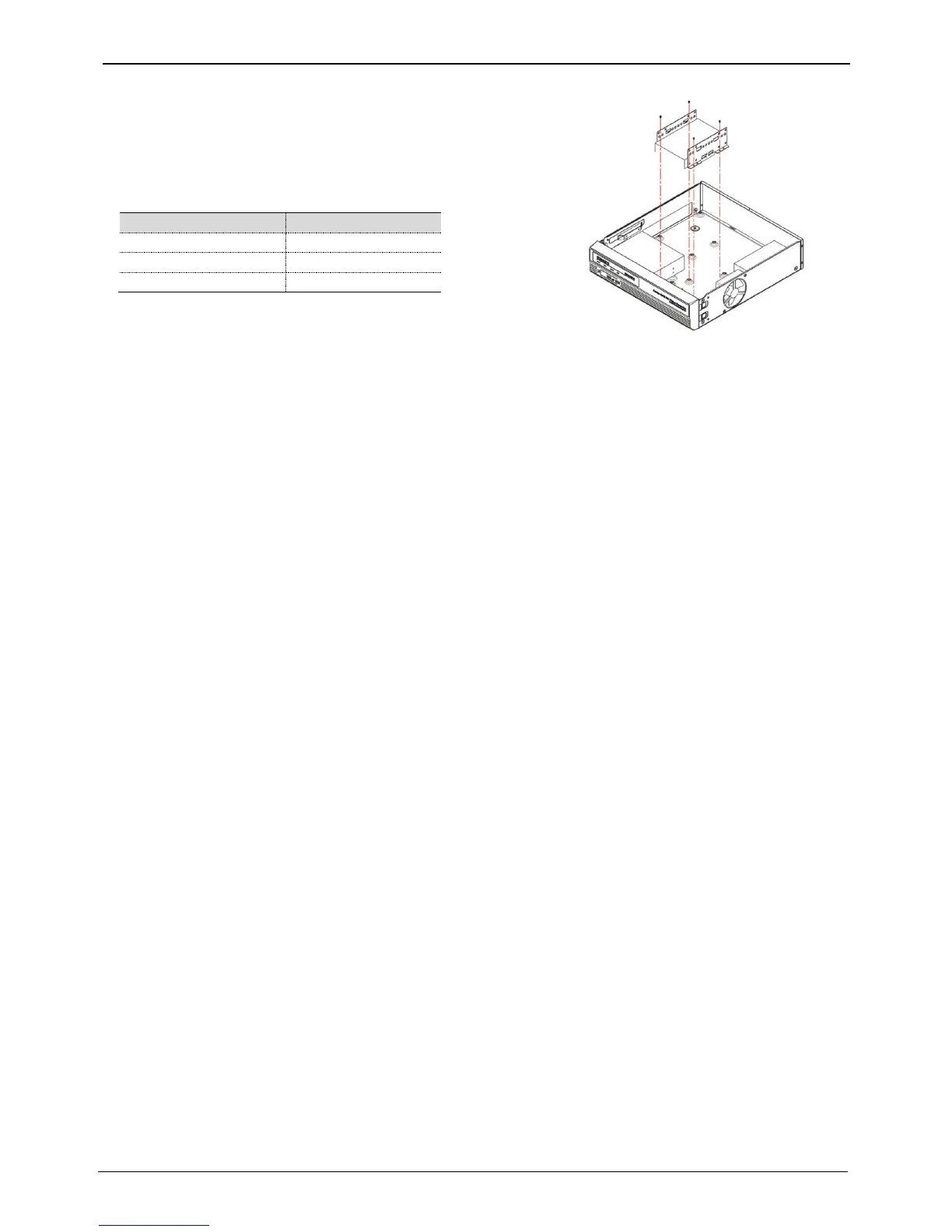
2. Install HDD bracket with HDD into DVR then hold it with screw to
fix it to the bottom part of DVR.
<Note>
Socket arrangement of SATA cable in main b’d is as follows.
Two HDDs can be installed in DVR.
Adding HDD
Remove the power cord before installation to protect DVR against possible damage and an electric shock
Please call the store you purchased the product from if it isn’t operating correctly due to installation or
configuration mistakes.
Warnings regarding Data loss
Please handle with care so HDD data isn’t damaged.
Check HDD compatibility before installing additional HDD.
Be careful not to give any shock on HDD during operation which could lead to possible damage or malfunction
.
Cases when HDD and its data can be damaged.
To minimize the data loss, please copy data as often as you can.
Physical shock during disassembly or installation may lead to Data damage.
Sudden power outage or turn off of DVR can damage HDD.
Please don’t try to move or shock DVR while HDD is working.



 To Next Page