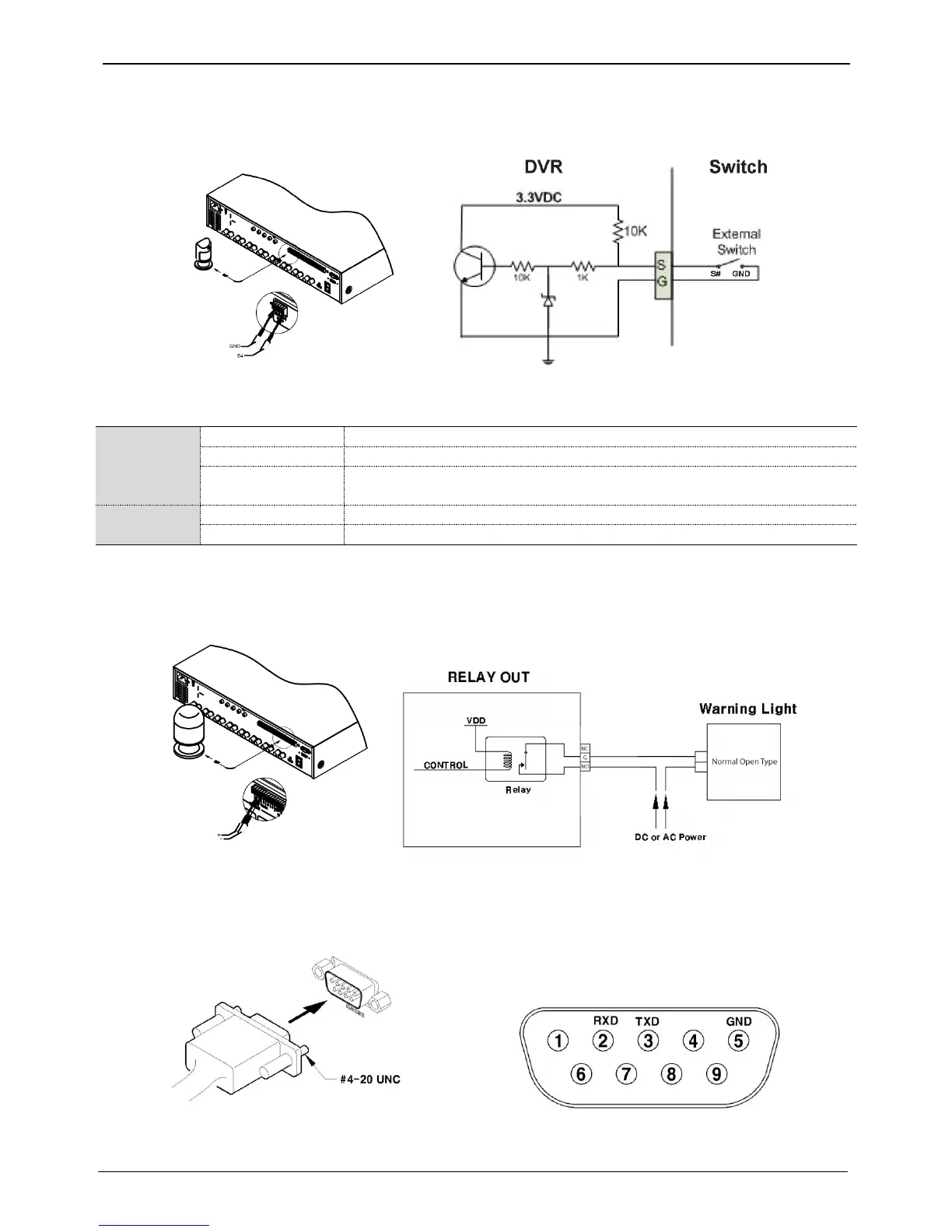
Connecting sensor input terminal
Please see the picture for sensor input. The below picture is an example of connecting Dry Contact sensor type.
Please refer to “Wire Handling” for more information.
Connecting relay
specifications
Please see the below table for alarm output requirements.
* Varies between different models
Connecting relay
Please refer to the below picture in regards to connecting R1~R4 output. Below picture is an example of
connecting a light bar. Please see “wire end handling” in regards to connecting/removing wires.
Connecting COM1 serial port with external devices
Connecting Text input device (ATM / POS / Access Control)
Using COM1/RS232, TEXT DATA can be recorded with synchronizing POS/ATM.
As shown in the picture, for a set up to connect COM1/RS232 (D-Sub 9pin), set up serial & text info under
“device” menu.



 To Next Page