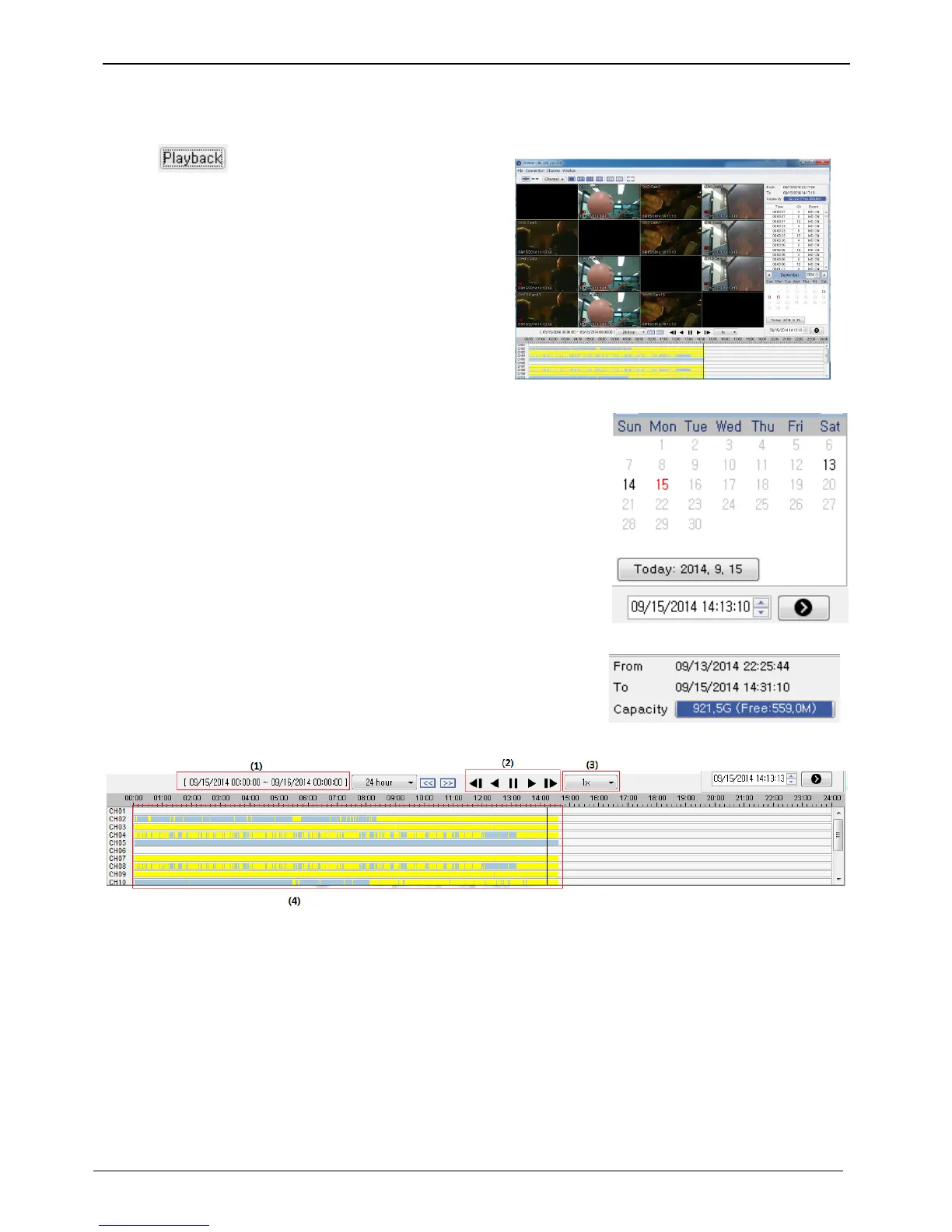
Click [ ] to run playback.
Playback is page, where only Authorized or user account
assigned with right for [playback/search] can use.
Playback can be controlled by search, time shift button or
click on time line.
Recorded date is enabled in black color, and others unrecorded date
disabled in grey. Click [] button after select date & time so as to
playback images on the date & time selected.
Record duration and record capacity check
It indicates total recorded capacity and remaining capacity in Hard disk.
And it marks record start date till last recorded date. Also it shows
amount of Hard diskHDD.
Time line and function button
(1) is range of time line.
(2) From left button, it is backward step playback, backward playback, Pause, forward playback, forward step
playback button.
(3) is setup on playback speed. Playback speed set as following “1/2x, 1x, 2x, 4x, 8x, 16x, 32x, 64x, ALL”.
(4) shows recorded information on the timeline and select preferable time to move to search time.



 To Next Page