EasyManua.ls Logo

WebGate HS1600F-D - JAVA Viewer; System Requirement; Installation; Login

WebGate HS1600F-D
92 pages
Print Icon
To Next Page IconTo Next Page
To Previous Page IconTo Previous Page
Loading...
68
JAVA Viewer
Jave Viewer supports DVR monitoring function regardless of operating system.
System requirement
Items
Recommendation
CPU
Core i5 3.0GHz
Main Memory
4GB
Video Memory
512MB or higher
Display
1024MB PCI-E Graphic Card Support AGP Accelerate
BUS
Support PCI-E 16X or highter
Network
100/1000 Ethernet NIC
OS
Windows 7 / Windows 8 / OS X Mavericks (version 10.9)
Installation
Javaviewer Installer
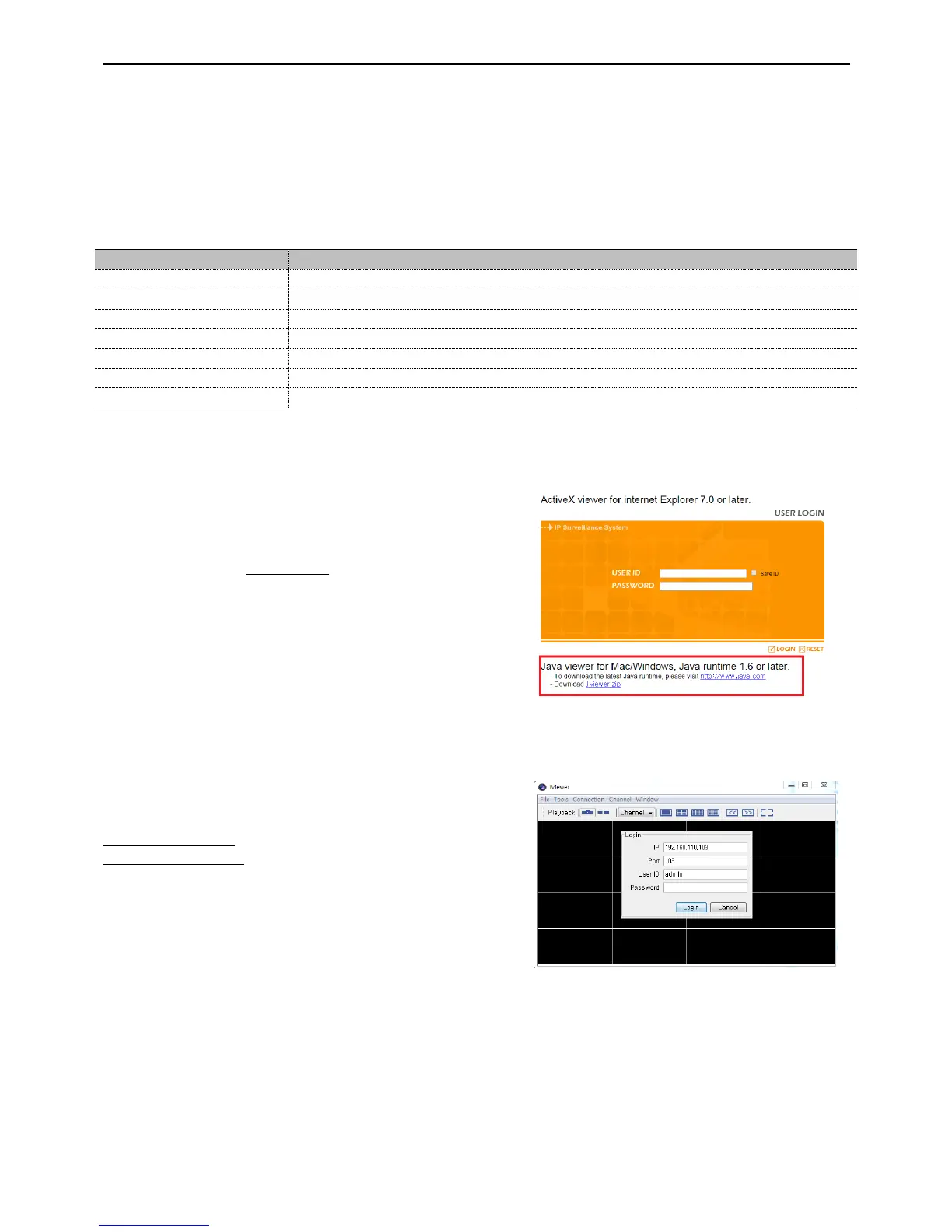
To use features of JavaViewer, please download JViewer.zip file
then unzip and run “jviewer_start.jarfile.
<Notice>
Please install Java from www.java.com to use Java Viewer
Login
After inputting an IP address that is set to the system, the
WebViewer Login page will be connected.
Examples of input method in address box are
http://192.168.1.100 as IP address type or
www.addresstest.com as domain address. In case of changing
the port value besides default value 80, just input the
changed port value.
Input the set of User ID & Password, click ‘LOGIN’ to access.
If password didn’t change tin Control Center, ID and Password
will be admin/12345.

Related product manuals