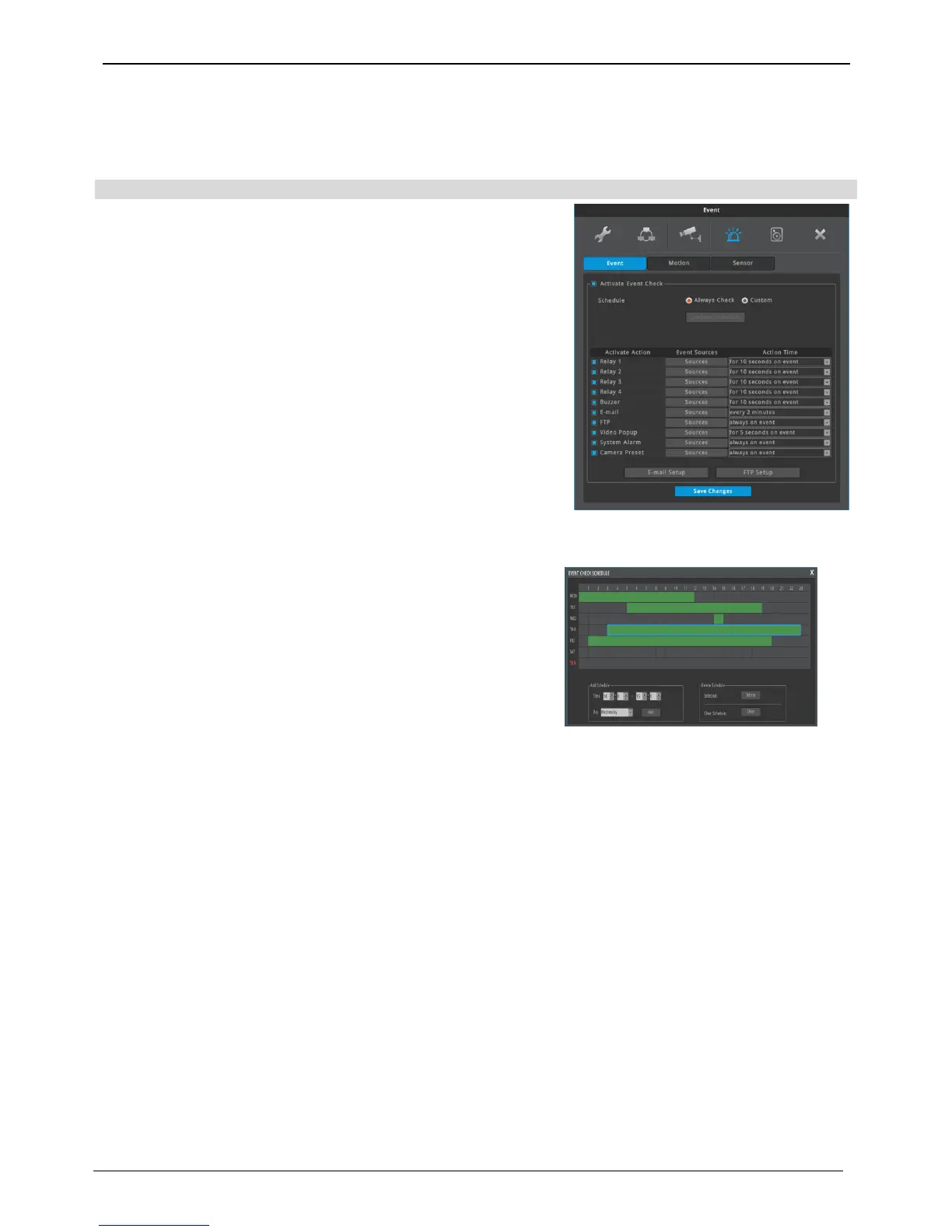
Event Configuration
Event
Event set up has 4 set up procedures, event, motion, sensor, and
preset.
event
configures time range with event synchronization and can be
configured as off, always, and custom
“always” recognizes and reacts to event when it is configured.
“custom” can only use event during the time preset based on
schedule settings
If custom is configured, event time can be configured per day/time
through schedule setting window
If time isn’t configured on custom or Off box is checked, DVR won’t
recognize any event and thus no event motion or event record will
run.
User schedule setting
If day/time are set, it will display on the graph right away.
Select record begin/end time on the graph and click them in
order, and the corresponding info will be displayed on day/time.
• day : set applicable day
• time : set applicable time
• register : schedule registration function
• delete : schedule unit delete function
• Clear : whole schedule delete function
How to delete
Select item and click the Delete button.
If users click the delete button without selecting an item,
previously
selected item will be deleted.
How to delete all schedules
Click All Schedule Delete buttion.



 To Next Page